Automation vs autonomous agents vs orchestration: what each means and which you need
Automation, autonomous agents, and orchestration are not three competing choices. They are three layers.
Automation runs a fixed step by rules. An autonomous agent uses AI to make its own decisions across steps. Orchestration coordinates both, end to end, and decides what runs when, how and under what controls. So for a high-volume operation, the real question is what coordinates and governs the processes at play. The answer is orchestration.
The market is using one word, AI, for three (or sometimes more...) different things. The difference isn't academic. The real question when applying any AI into production processes is whether the work stays under control.
Key concepts plainly: automation runs steps, an autonomous agent makes calls, orchestration runs the operation.
This guide is for anyone deciding and evaluating where AI fits in a Salesforce workflow. It defines each layer in grounded terms, shows where each one breaks, and gives you a simple test: where AI belongs, where fixed rules belong, and what coordinates the two.
Automation: a fixed step, run by rules
Automation is deterministic. You set a trigger and a set of rules, and the same step runs the same way every time. A Flow fires when a record is created. A rule assigns a case to a queue. A field updates when a stage changes. Predictable, low risk.
This is what Salesforce already does well. Flows, assignment rules, and queues are all automation. Its strength is certainty: the same input gives the same result, and you can say exactly why. It's reliable, and it's cheap to run.
Where it breaks. Automation owns steps, not the handoffs between them. It can't read anything ambiguous, and each rule only knows its own slice. So as the operation grows, you add a Flow to patch a gap, a rule to cover an edge case, more automation on top of that, until the logic sprawls into something brittle that nobody can keep up with or safely change. The steps still run. What's missing is anything that owns the workflow they belong to.
Salesforce has its own coordination tool, Flow Orchestration, which became a free, standard Flow type in 2026. It coordinates multi-user stages and approvals inside Salesforce, and it is a genuine step up from wiring individual flows together. What it does not close is the process that reaches outside Salesforce, starts from unstructured input, or has to handle exceptions and resume. That is the job of an orchestration layer, which coordinates Flow, Flow Orchestration, and AI as one governed process.
Autonomous agents: AI making its own calls
An autonomous agent is the opposite trade-off. Instead of following fixed rules, it uses AI to work toward a goal and decides its own steps as it goes. Give it an objective and some tools, and it reasons about what to do next.
The appeal is reach. An agent can handle inputs you didn't fully anticipate and act across several steps without someone rewriting the logic each time.
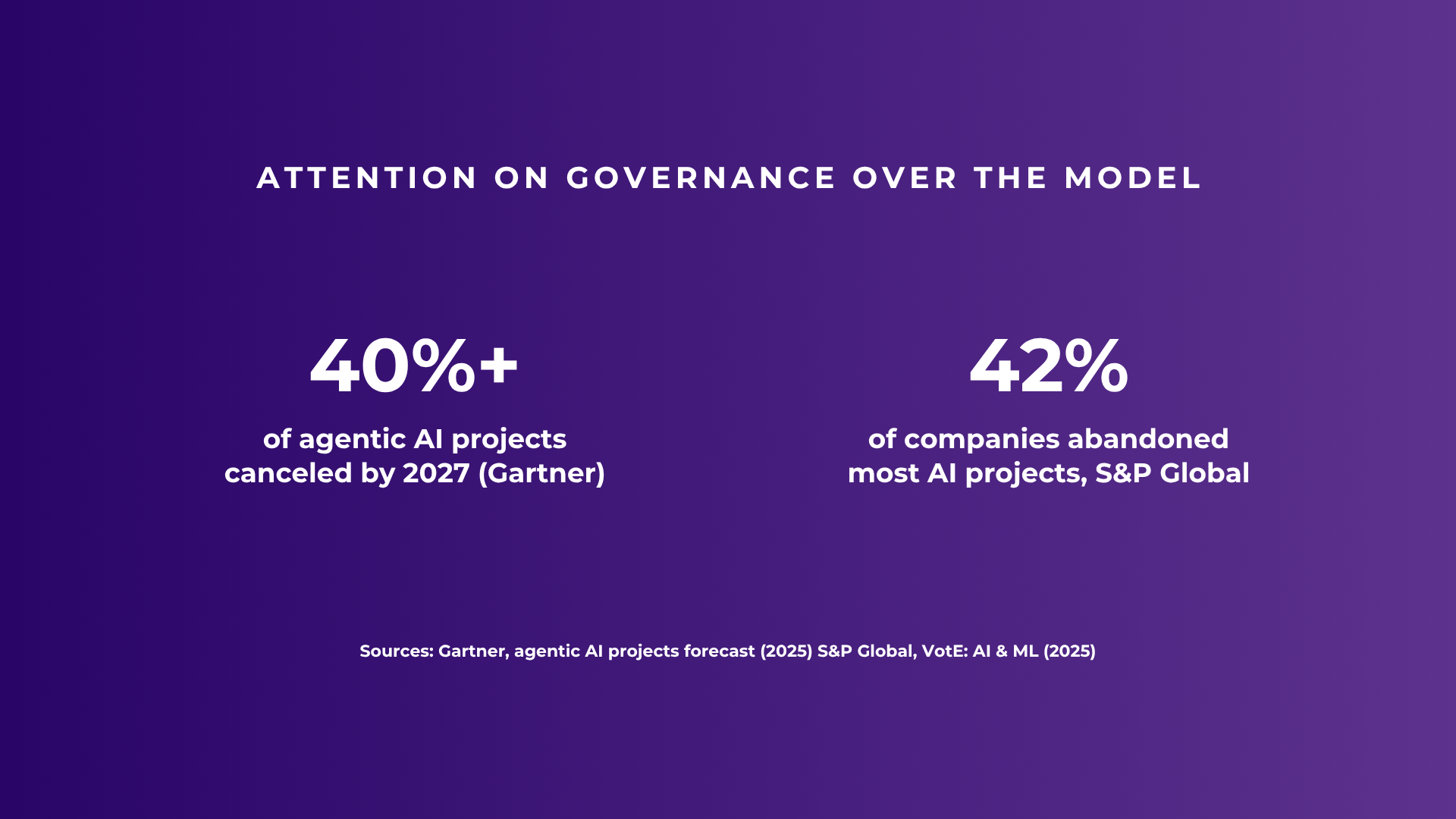
Where it breaks. When an agent picks its own path, the same request can be handled two ways, cost scales with how much it reasons, and it's hard to audit after the fact. In regulated, high-stakes work, “let the AI decide” is exactly what teams refuse. You hear it in almost every evaluation: keep this tightly controlled before you hand over the keys. That isn't resistance to AI. It's an accurate read of what unbounded autonomy costs you in an operation that has to be predictable and explainable. An agent that can spot what's wrong is not one you can trust to fix it — and the fix is the hard part. It's also why most enterprise AI pilots built this way stall before production. Forrester puts the share of AI pilots reaching sustained production use at 10 to 15%. The gating factor is usually governance and execution discipline, not the model.
A quick way to read autonomy: prompt, assistant, agent
Autonomy isn't all or nothing. Read it as a ladder, by what the AI is allowed to touch. A prompt has no tools: it answers, and nothing changes in your system. An assistant has information tools: it can look things up and inform a decision, but not act. An agent has action tools: it can change records and trigger steps. The higher the rung, the more reach, and the more control you need around it. The mistake was never using agents. It's giving one broad latitude over work that needs certainty.
Orchestration: coordinating the layers, end to end
Orchestration is the layer above both. It defines how a whole workflow executes, from intake to resolution, and coordinates every step in between. Some steps are deterministic. Some need interpretation. Orchestration decides what runs, in what order, under what conditions, and with what controls.
Inside an orchestrated workflow, each layer does the part it's good at. Deterministic logic handles the steps that must be certain: routing decisions, actions, updates. AI is applied selectively, only where something has to be read or understood, like the intent of an inbound email or the contents of an attached document. And the AI work is carried by specialist agents that each own one narrow job: an agent to classify, an agent to enrich, an agent to prioritise. Not a single generalist improvising across the whole operation.
Specialist over generalist is a governance argument, not a feature list. A narrow agent has a small, testable job, so you can predict what it does, measure whether it's right, and audit what it did. A generalist handed the whole workflow gives you none of that. Reliability comes from narrow scope.
The result is work that runs end to end without someone standing over it, and stays explainable. Every step is traceable: what happened, why, where AI was used, what action followed. And because you pay for work completed rather than for tokens consumed, cost stays tied to output as volume grows.
One thing matters most here: orchestration coordinates the Flows and agents you already have. It doesn't replace them.
Which layer the work needs
Because these are layers, the useful question is which one a given piece of work needs to sit on.
-
A single fixed step, done the same way every time? Automation. A Flow, a rule, a scheduled update. Don't reach for AI to do a job that rules already do reliably.
-
Open-ended reasoning over a genuinely unbounded problem, where you can tolerate variability? That's the narrow case for an autonomous agent. In most operational Salesforce work, that tolerance is low.
-
Several steps, some certain and some interpretive, that have to run reliably end to end with control and visibility? Orchestration. This is what most service and revenue operations actually require.
See how this plays out in practice for service workflows, revenue workflows, and custom, cross-system processes.
Automation Autonomous agent Orchestration What it does Runs a fixed step by rules Uses AI to choose its own steps toward a goal Coordinates both, end to end Best for Certain, repeatable steps Open-ended problems where variability is acceptable Multi-step processes that must run reliably and stay explainable Control High: same input, same result Low: the path and the cost vary High: you set the order, conditions, and controls In Salesforce Flows, rules, queues A single generalist AI agent Ortoo Orchestrator coordinating flows and specialist agents
A test for deciding what goes where
Take a workflow and run each step through these questions.
-
Does this step need a guaranteed, identical result every time? Then it belongs to deterministic logic, not to an agent's discretion.
-
Does it require reading or interpreting something unstructured? An email, a document, a customer's intent. Then it needs AI, applied to that step only.
-
Is it high-volume, or does it carry an audit or compliance obligation? Then it has to be observable and governed, with a record of what happened and why.
-
Does a human need to stay in the loop here? Then the step is a defined handoff, not an autonomous action.
Answer those across a workflow and you've mapped three things: where AI belongs, where deterministic logic belongs, and what has to coordinate the two so the whole thing runs as one operation. That coordinator is orchestration.
Controlled orchestration is the reasonable middle
The three layers aren't rivals you choose between. Orchestration sequences and governs automation and agents. Deterministic automation keeps handling the steps that should stay certain. Specialist agents handle the steps that need interpretation. Orchestration sits above both and sets the order, the conditions, and the controls, so the workflow runs as one system instead of a set of parts someone holds together by hand.
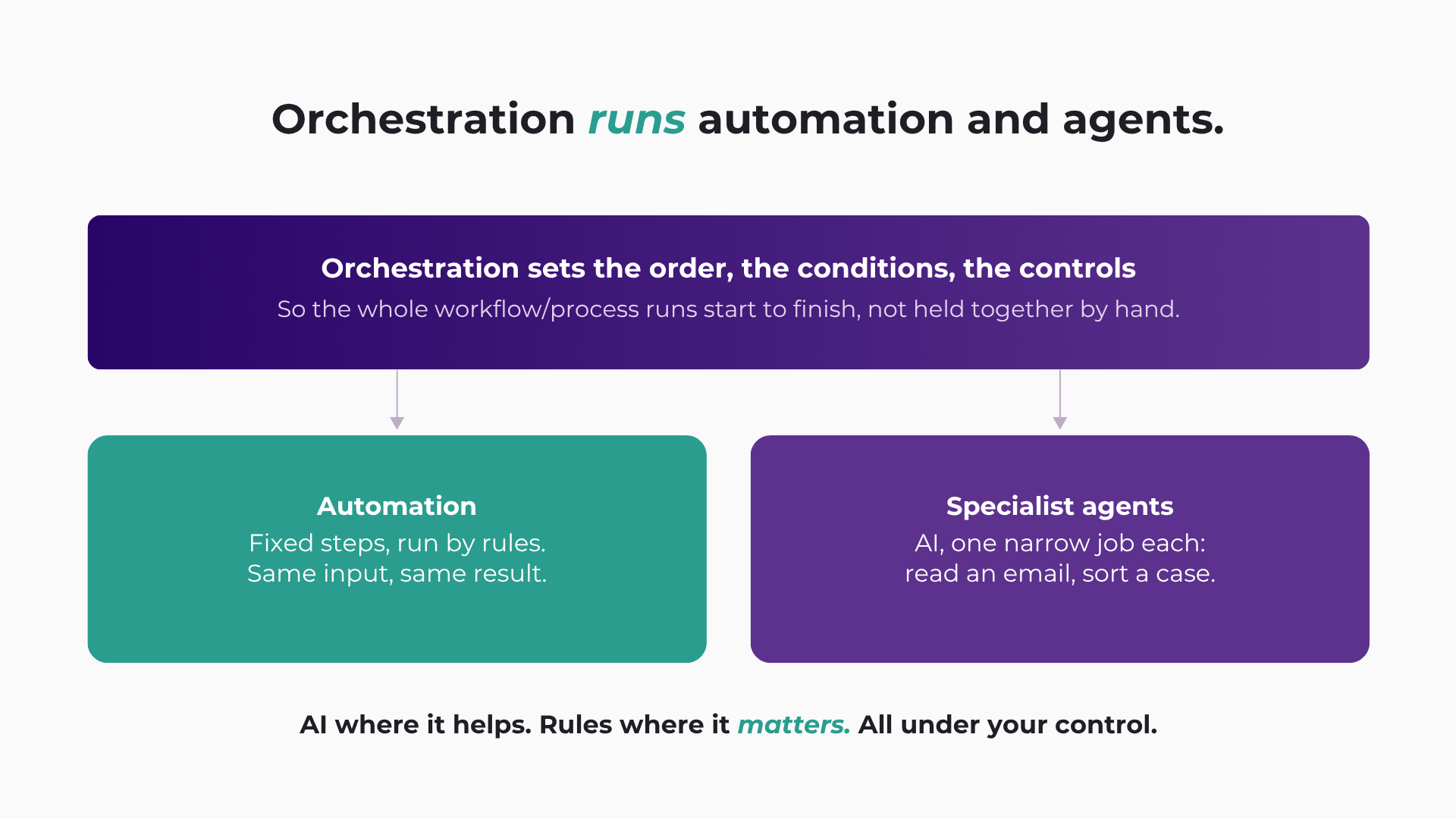
That's the reasonable middle: between rigid automation that can't handle ambiguity, and an autonomous agent you hand the keys to and hope. The principle underneath is short. AI where it helps, rules where it matters, all under your control. It's the realistic way to put AI into a Salesforce operation without giving up predictability.
This is where Ortoo Orchestrator fits. It's a Salesforce-native workflow orchestration system. Your existing Flows and routing keep working, called as steps inside an orchestrated workflow. AI is applied selectively, where reading unstructured input adds value. Specialist agents each own a stage.
Every step stays traceable and governed. Ortoo Orchestrator runs natively in Salesforce, and pricing follows work completed, per case, per lead, per request, rather than per token. It extends what you already run, one workflow at a time.
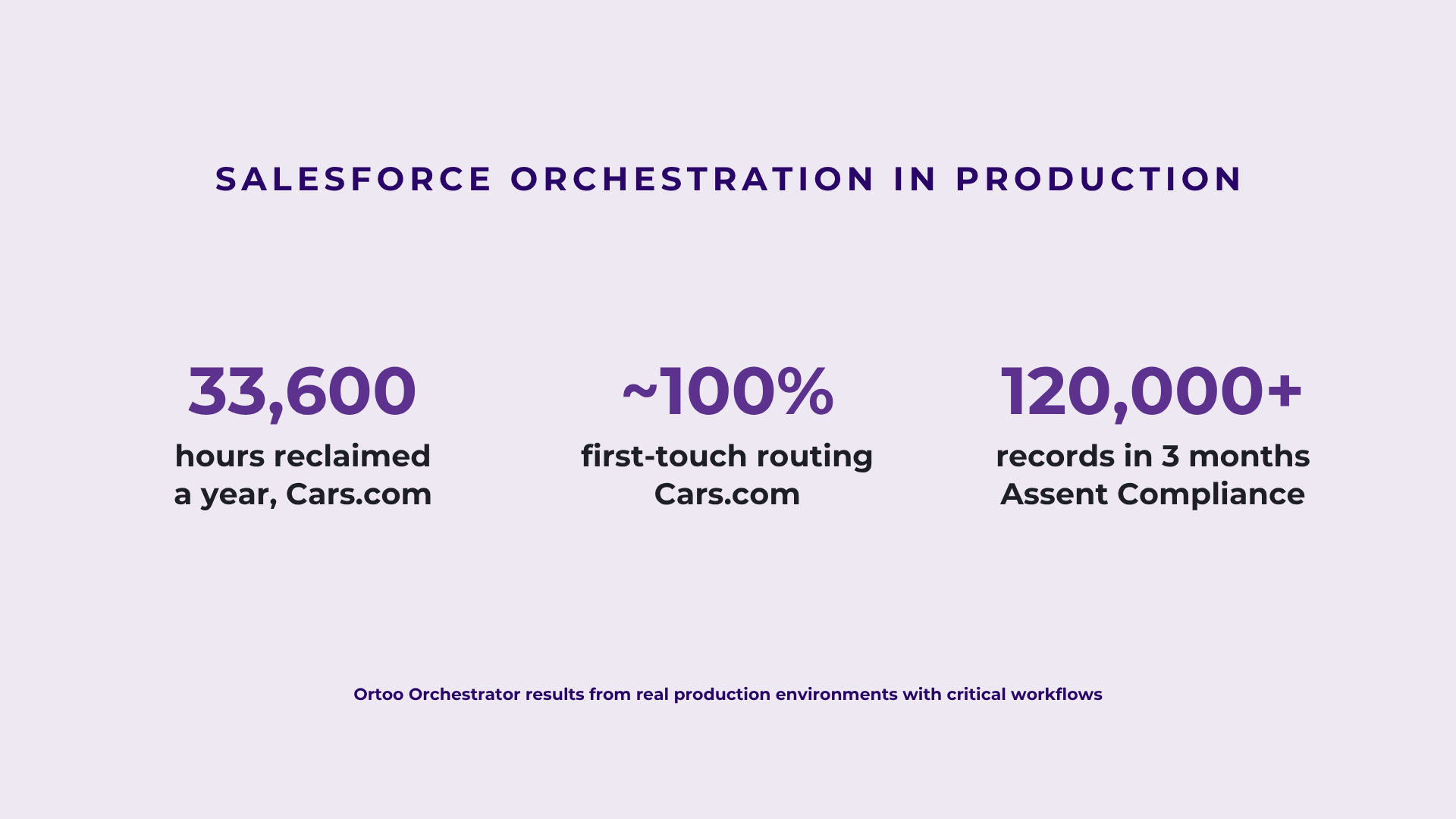
Cars runs it across production workflows and reclaims 33,600 hours of manual work a year, at near 100% first-touch routing accuracy. That's what “runs reliably at volume, and stays explainable” looks like in practice.
Frequently asked questions
What's the difference between automation and orchestration?
Automation runs a single fixed step by predefined rules, like a Flow that fires on record creation or a rule that assigns a case. Orchestration is the layer above it: it coordinates many steps, deterministic and AI, from intake to resolution, deciding what runs when and under what controls. Automation owns steps; orchestration owns the workflow those steps belong to, including the handoffs between them that automation alone leaves to people.
Are autonomous agents safe to use in Salesforce?
An autonomous agent decides its own steps, which makes its behaviour and cost harder to predict and harder to audit, and that's a real concern for operational work that runs at volume and touches customer data. The safer pattern is narrower: specialist agents that each own one job, apply AI only where interpretation is needed, and hand off under defined rules, all inside an orchestrated workflow where every step is governed and traceable. AI still adds value; it runs under control rather than with broad latitude.
Do I need orchestration, or just automation?
If your task is a single step handled reliably by rules, automation is enough, and adding AI would only add cost. You need orchestration when work runs across several steps, when some steps require interpreting something unstructured, when the work crosses teams or systems, or when you have to be able to explain exactly what happened and why. Most service and revenue operations in Salesforce fall into that second group.
Is Salesforce Flow Orchestration the same as workflow orchestration?
Not quite. Flow Orchestration is a Salesforce feature that coordinates multi-user stages and approvals inside Salesforce, and since 2026 it is a free, standard Flow type. Workflow orchestration in the broader sense coordinates a whole process across systems, including unstructured intake, AI interpretation, exception handling, and external systems. Ortoo Orchestrator provides that layer natively in Salesforce, and Flow Orchestration can be one of the steps it coordinates.
What is process orchestration in Salesforce?
Process orchestration in Salesforce is a layer that coordinates a multi-step process from intake to resolution across your Flows, routing, integrations and other apps, and AI, deciding what runs, in what order, and under what controls, instead of leaving each piece to act on its own. Ortoo Orchestrator runs it natively in Salesforce: specialist agents handle the steps that need interpretation, deterministic logic handles the steps that must be certain, and every step stays traceable and governed.
Is process orchestration the same as workflow orchestration?
They're mostly used interchangeably. "Process orchestration" tends to describe the business process across systems, and "workflow orchestration" the operational workflow (for example inside Salesforce), but both mean coordinating a whole flow end to end with control over what runs when. Ortoo Orchestrator does that, natively in Salesforce, using specialist agents that each own one step rather than a single general-purpose agent, so execution stays governed and predictable.
Related insights
Introducing Corrections in Ortoo Orchestrator
When an AI agent puts a support request in the wrong category, your team knows what needs fixing. Corrections lets you explain the right outcome, send it for approval and update the guidance the agent uses for future requests.
When to use an AI agent in Salesforce (and when to use a rule)
"Can this be an agent?" comes up in every Salesforce meeting now. How to decide when an agent earns its place, plan for the cases it can't finish, and get the handoff right.
Governed AI in production: more capability needs more control as the OpenAI Hugging Face Hack reminds us
AI agent governance is about what an AI agent can and is allowed to do in production. Capability and ability get confused constantly, and a security incident in July 2026 showed why the difference matters – also in your Salesforce org.
READY TO SEE IT IN ACTION
Map your workflows with our team.
30 minutes, no prep needed. We will map one workflow you handle today and identify where orchestration would change the outcome.