When to use an AI agent in Salesforce (and when to use a rule)
Ask "can this be an agent?" in enough Salesforce meetings and it stops meaning much. Sometimes it's the right instinct. Often it's just... not.
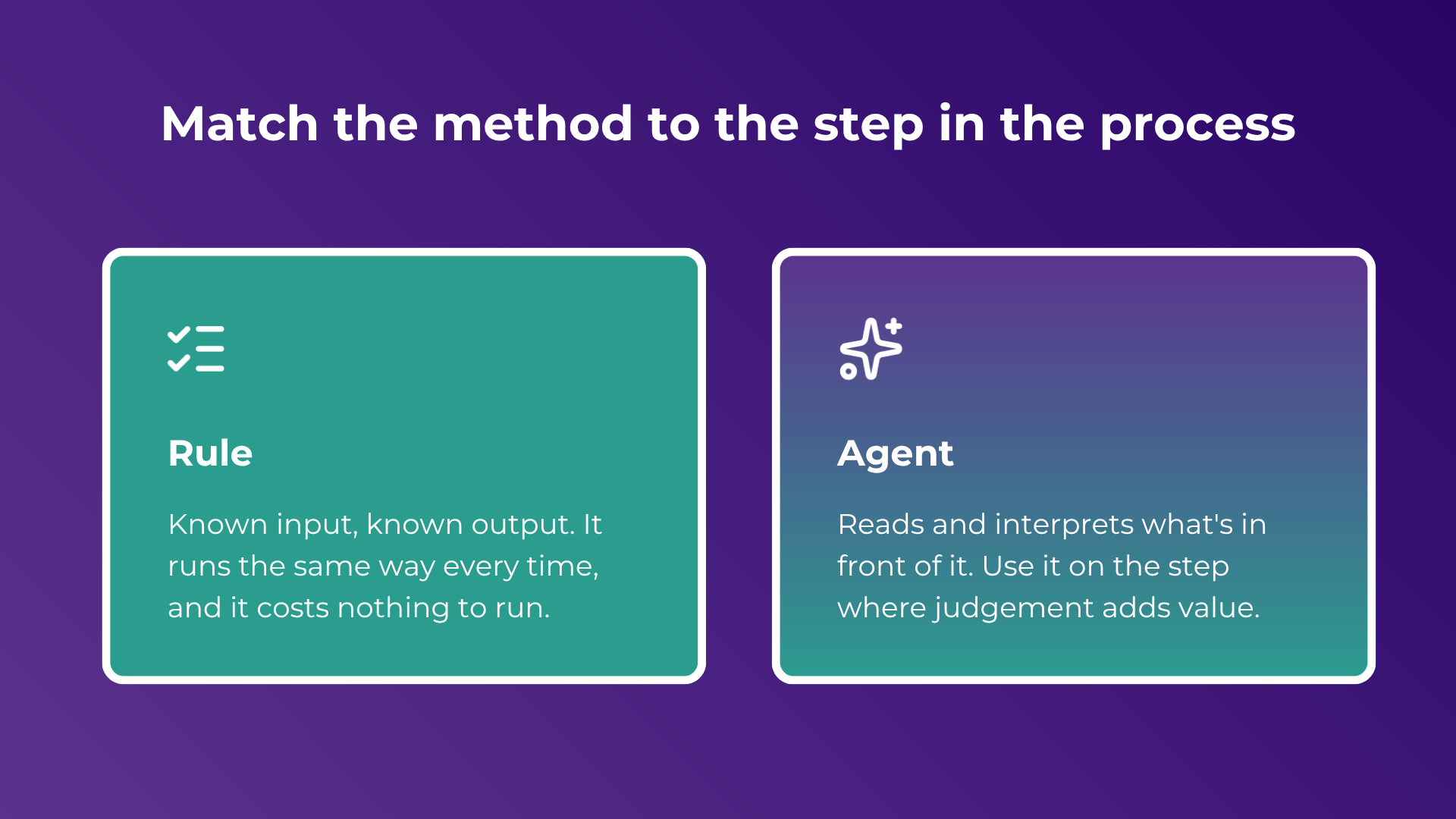
So here's the version worth asking. An AI agent earns its place on a step that needs interpretation and judgement: reading an inbound email, making sense of a vague request, pulling the key facts out of a messy document. If a step has a known input and a known output, a rule does it faster and without surprises.
Knowing when to use an AI agent in Salesforce comes down to a few answers before you build anything: where does the AI agent add interpretation, what happens on the cases the AI agent can't finish, and who owns the final result of the process.
The "can this be an agent?" reflex
You've probably sat in the meeting. Something completely unrelated is on the screen, and someone asks whether it could be an agent. Then you spend ten minutes working out whether that's a real idea or just the trendy word.
The client version is worse. They've seen a keynote clip or a LinkedIn post, they arrive asking for an agent by name, and the first half of the call goes on walking them back to what the thing actually does.
The fatigue is easy to understand.
But the reflex has a cost that shows up later. Add an agent to a step that never needed one and you haven't saved any work. You've added a new thing that can go wrong, on top of the flows, rules and queues your team already holds together by hand.
When should a step be an AI agent, and when a rule?
Agents are good at one kind of job: taking something unstructured and making sense of it. Sorting a case by what the customer actually wrote. Reading a contract and pulling out the renewal date. Turning a rambling email into a structured record.
The trouble starts when that capability gets pointed at work it was never needed for. The pattern we keep seeing: a simple intake form, pick a topic, type the details, hit submit, gets replaced by a chat. The chat collects less than the form did, asks the customer to repeat themselves, and sometimes doesn't create the record at all.
Support teams describe the same thing with knowledge lookups. A deterministic FAQ that returned either a known answer or nothing, now gets swapped for an agent action that occasionally invents an answer or cites an article that doesn't exist.
In a regulated setting that's a real problem. Financial-services teams have had to remediate genuine losses after a bot told a customer something that simply wasn't true.
Quick test: if you can write down the exact logic, keep it a rule. Save the agent for the step that genuinely has to read something and decide what it means. The longer version of that trade-off is in automation vs autonomous agents vs orchestration.
What happens when an AI agent can't finish?
The sharpest response I've heard to "can an agent do this?" is a question back: what's the fault path when it can't, and who's on deck to handle it?
That one question tells a demo apart from a production workflow. In a demo, the agent nails the happy path and everyone claps. In production, the interesting cases are the ones it can't finish: the request it misreads, the record it fails to create, the customer it should never have contacted. If nobody's decided what happens next, the work doesn't stop cleanly. It stalls quietly, and someone finds out later, usually the customer.
So the fault path is part of the design. Decide where the work goes when the agent can't finish, who picks it up, and how they're told, before you launch rather than after the first stall.
Why do AI agents fail in production?
The blocker is almost always the plumbing around the model: escalation, retries, queueing, a named owner for the work the agent hands back, and a way to see what happened at each step. The model itself is rarely the issue. Forrester puts the share of AI pilots that reach sustained production use at roughly 10 to 15 percent, and the gap is execution discipline more than model quality.
What makes an AI-to-human handoff work?
Ask people running agent pilots what separates a good setup from a painful one and they say the same thing: the handoff to a person.
It works when the agent leaves behind enough for the human to act. It falls apart when it routes the case but drops the thread, and the rep has to re-read the whole conversation to work out what already happened.
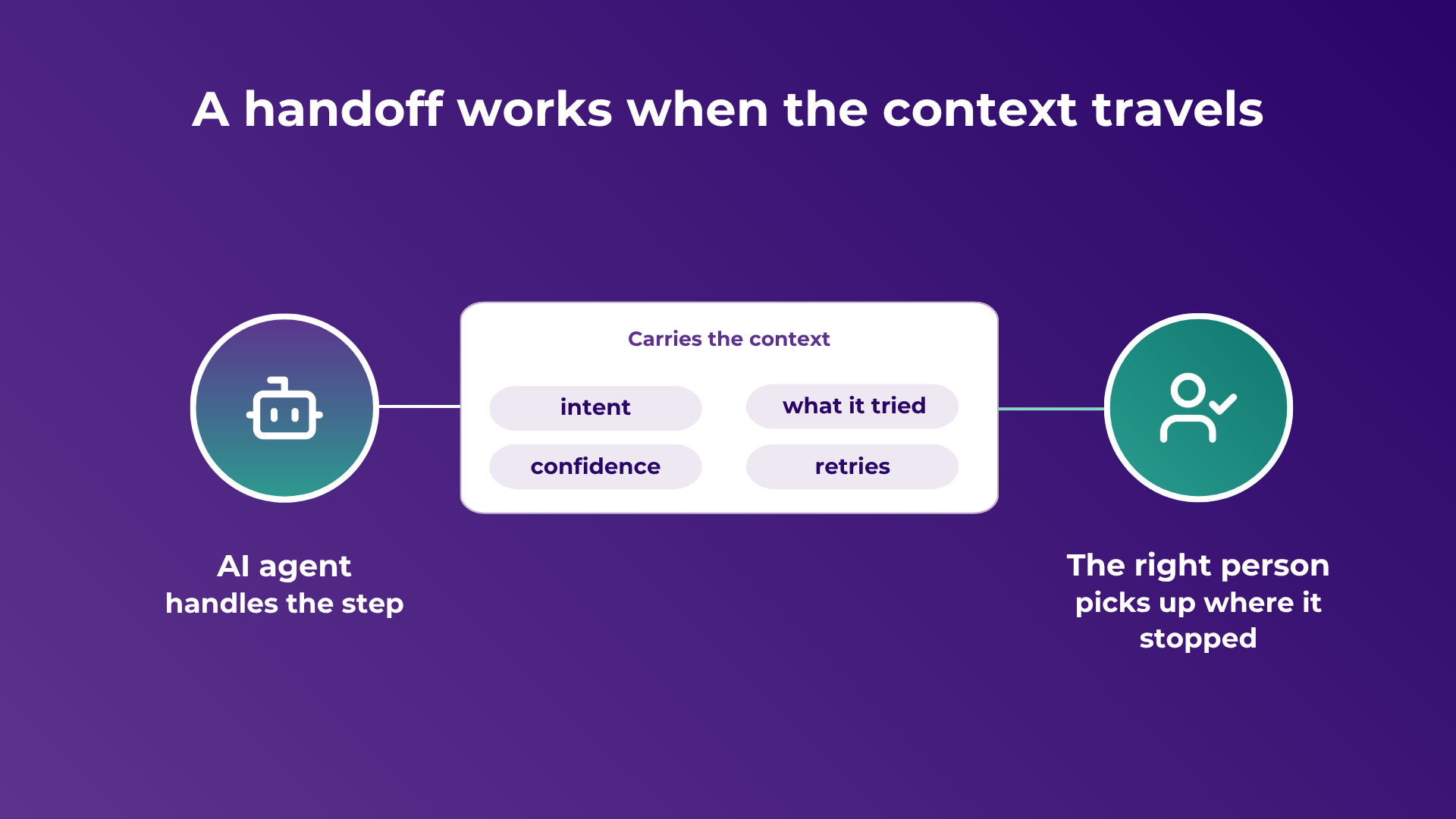
The context that has to survive the handoff is specific. What was the customer trying to do. What did the agent already try. How sure was it. What did it retry, and what failed. Carry those across and the person picks up where the agent stopped. Drop them and the agent has done little more than routing with extra steps.
This is a design problem. A handoff only carries context reliably when the workflow around the agent is built to capture it, pass it on, and record it.
Four questions to ask before you build an agent
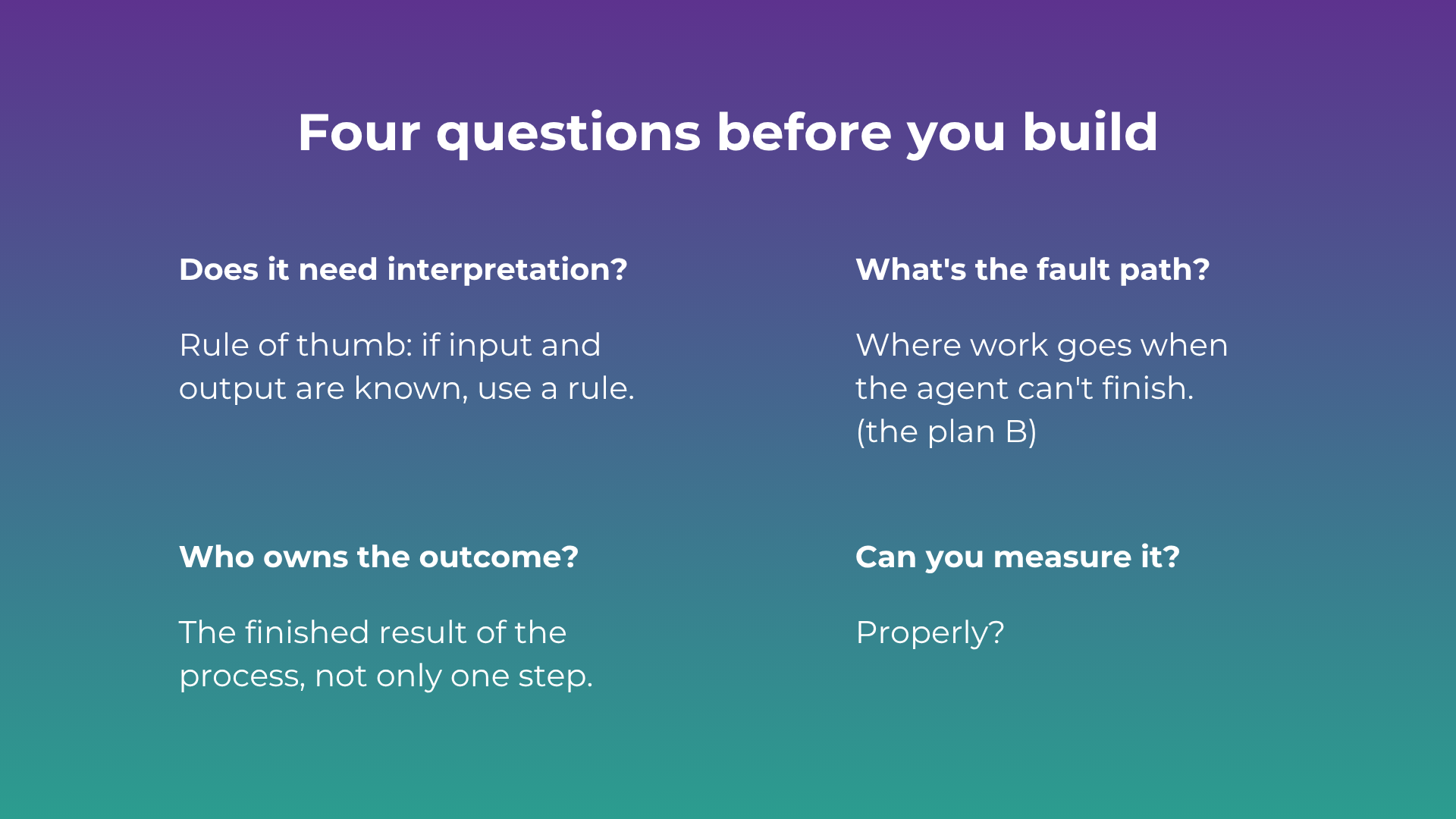
If you can answer these, you're ready to build something that holds up. If you can't, that's the work to do first.
Does this step need interpretation? If the input and output are known, a rule is faster and cheaper. Keep the agent for the step that reads and decides.
What's the fault path? Where the work goes when the agent can't finish, and how the person gets told. Decide it up front.
Who owns the outcome? Someone owns the finished result end to end: the case reaching the right person and closing. Name that owner before the agent goes live.
Can you measure it, on your own terms? Sample real cases and check them yourself, rather than trusting a score the tool reports about itself. More on keeping agents governed once they're live: governed AI and AI agent control in Salesforce.
Is Agentforce worth it for a smaller team?
It can be, for a bounded, high-volume job like deflecting common questions, if your data and knowledge base are in good shape and you've decided what happens when the agent can't answer. The teams that struggle tend to switch one on over messy data, or without an escalation path. Start with one narrow use case, measure it against your own metric, and expand from there.
How Ortoo Orchestrator fits
This is the gap Ortoo Orchestrator is built for. Salesforce gives you the pieces: flows, routing, integrations, and now agents. What most orgs still lack is a system that decides how those pieces run together, from intake to a finished outcome.
Ortoo Orchestrator runs the workflow as one defined sequence. Specialised agents handle the steps that need interpretation, and deterministic logic controls the decisions that have to be certain. AI gets used where it earns its place, and the rest stays predictable. Because the whole sequence is defined, the fault paths are part of it: work an agent can't finish is escalated, queued or handed to a named owner, with the context travelling alongside it, and every step stays traceable. Pricing follows work completed, per case or per lead, so there's no reason to push a simple task through an expensive step.
It's Salesforce-native and extends what you already run. Agentforce handles the conversational step; Ortoo Orchestrator coordinates the workflow around it, and the two work as layers. Our how it works page walks through the sequence, and Ortoo Orchestrator vs Agentforce covers how they sit together.
Next time someone asks whether it can be an agent, try the other question: what happens when it can't, and who handles it then? Answer that, and you're building for the real world.
Map your workflow → Bring the one workflow where an agent keeps stalling. We'll map where the agent belongs, what happens when it can't finish, and who owns the result.
Sources
Related insights
Introducing Corrections in Ortoo Orchestrator
When an AI agent puts a support request in the wrong category, your team knows what needs fixing. Corrections lets you explain the right outcome, send it for approval and update the guidance the agent uses for future requests.
Governed AI in production: more capability needs more control as the OpenAI Hugging Face Hack reminds us
AI agent governance is about what an AI agent can and is allowed to do in production. Capability and ability get confused constantly, and a security incident in July 2026 showed why the difference matters – also in your Salesforce org.
Automation vs autonomous agents vs orchestration: what each means and which you need
The market is using one word, AI, for three different things. Automation runs steps, an autonomous agent makes calls, orchestration runs the operation. A down to earth guide to the difference, and how to tell which a given workflow needs.
READY TO SEE IT IN ACTION
Map your workflows with our team.
30 minutes, no prep needed. We will map one workflow you handle today and identify where orchestration would change the outcome.