Introducing Corrections in Ortoo Orchestrator
When an AI agent puts a support request in the wrong category, your team knows what needs fixing. Corrections lets you use that knowledge to update the guidance behind future classifications.
Corrections is now available as part of Ortoo Orchestrator. You can request a correction, explain the right outcome and submit it for approval. Once approved, Orchestrator corrects the work item and updates the context document the agent uses to classify future requests.
Your classification rules need business context
To classify requests correctly, the agent needs guidance about your business: what your products do, how customers describe problems and which categories your team uses. Ortoo Orchestrator supplies this guidance through a context document.
The context document is built using real examples taken from your data, but the document needs to change as your business does. You might introduce a new request type, or find that customers describe a product issue in a way the existing guidance doesn't cover.
Corrections gives your team a way to flag those gaps and explain what should change.
Correct the result and explain the reason
In the product demonstration, an agent classifies a support request as a configuration task. The user changes the requested classification to investigation and troubleshooting, then explains why the customer's description points to that category.
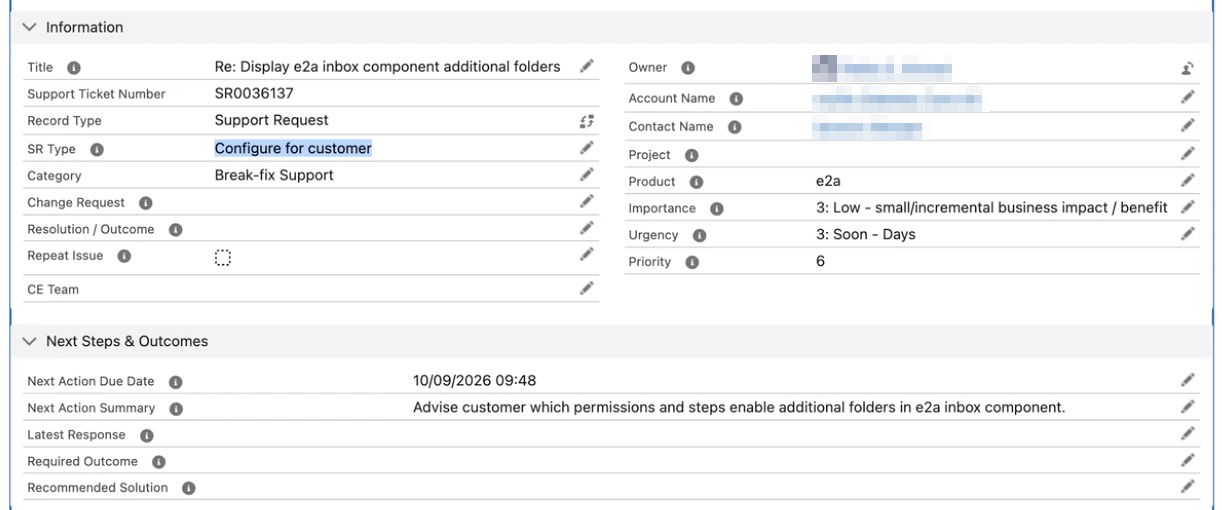
The agent classifies the support request as a configuration task.
You make that request through the interface. Select the correct outcome and explain what the agent missed. That explanation gives Orchestrator the context it needs to revise the guidance.
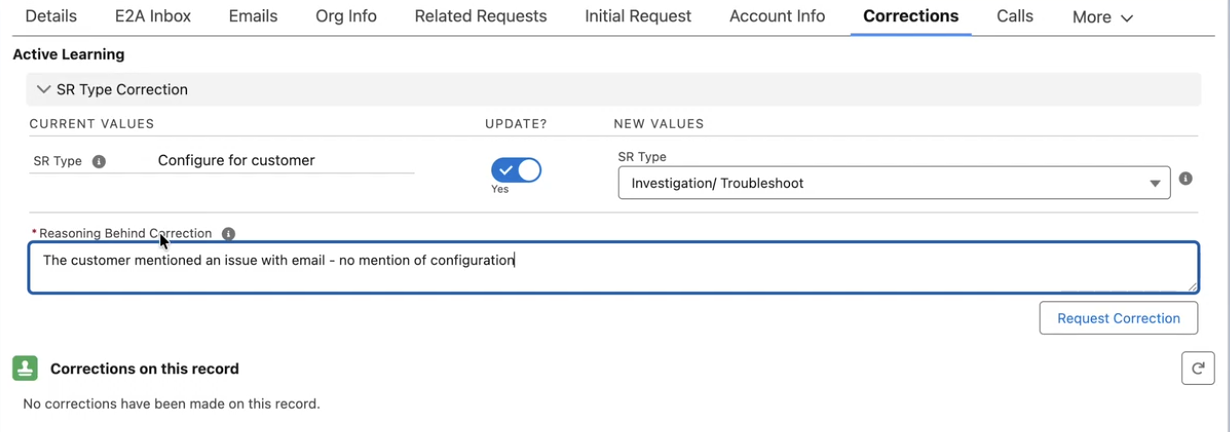
Request a correction and explain why the classification should change.
Review feedback before applying it
A correction request is recorded for review. An approver can assess the proposed classification and the explanation before processing it.
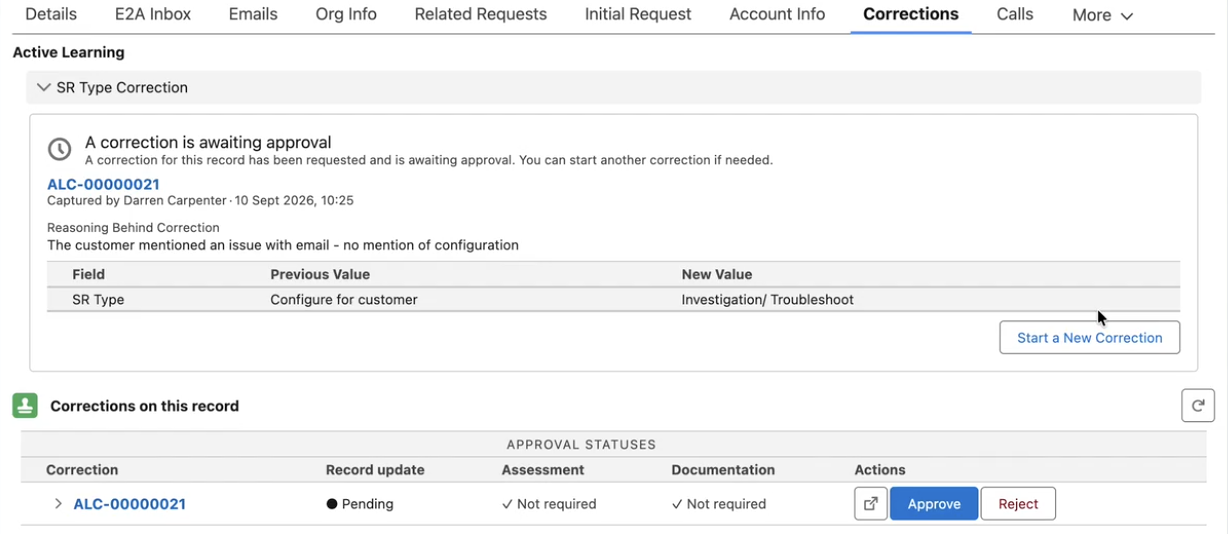
Request for a correction awaits approval.
This lets users flag mistakes while keeping approval as a separate step. The audit trail records who submitted the correction and who approved it.
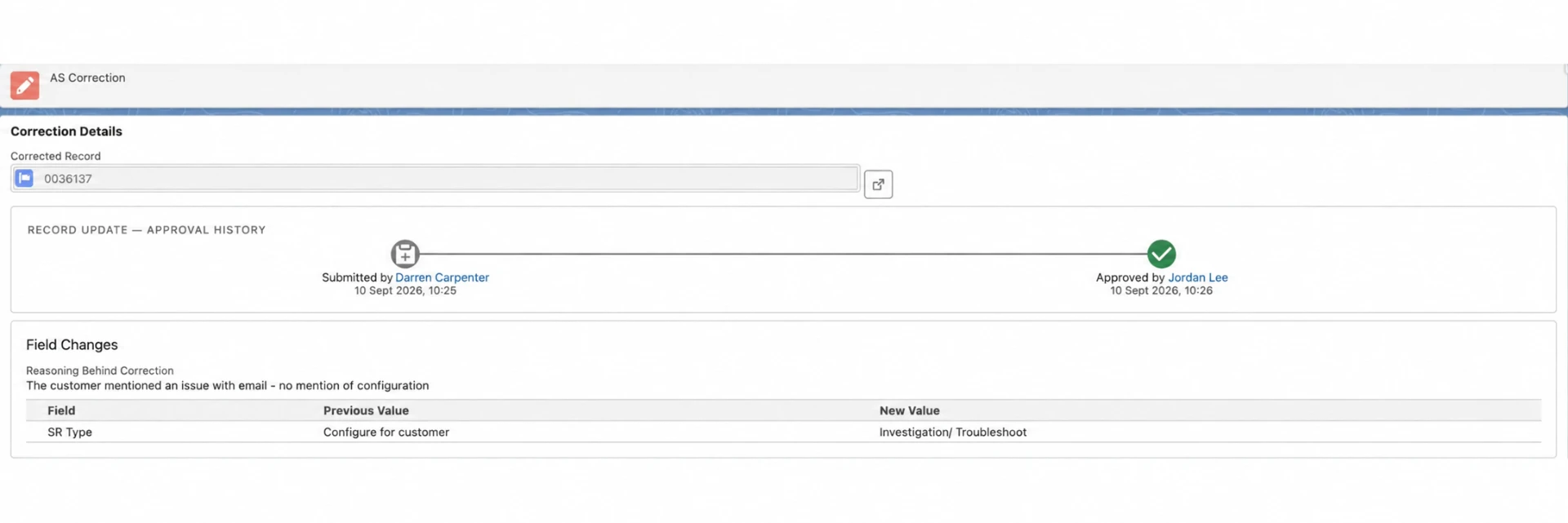
Audit trail of corrections and approvals.
Approved corrections update the agent's context
Approval applies the correction to the current work item. Orchestrator also uses AI to revise the context document, taking the existing guidance into account when adding the correction.
Future classifications use that updated document. You don't have to find and edit the relevant passages yourself.
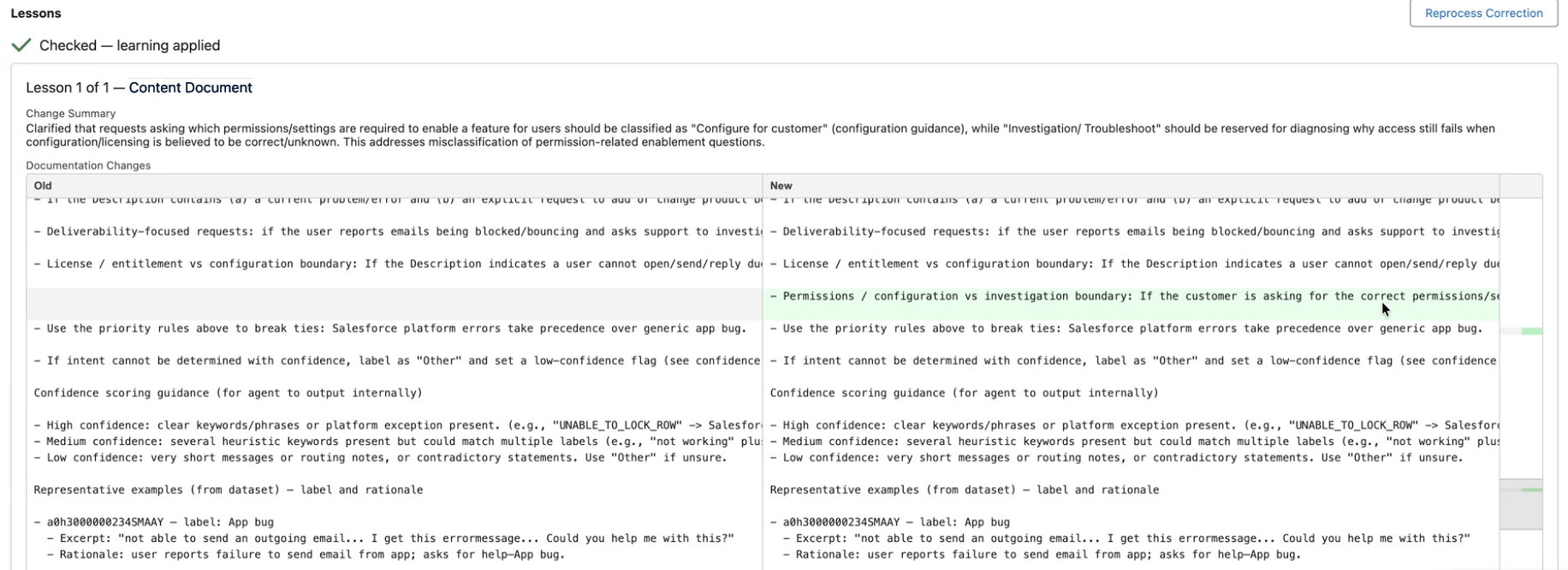
The context document incorporates the approved correction for use in future classifications.
Corrections updates the information supplied to the agent. The underlying language model isn't retrained, and the correction mechanism doesn't depend on a particular model provider.
Put your team's knowledge to use
Support classification is one application. Email triage and spam classification also depend on distinctions your team understands: a message that looks relevant to a software company, for example, might still be spam.
When you spot an incorrect classification, the explanation matters. Describe what the request means in your business and why it belongs in the category you've chosen. That gives the approver a basis for reviewing the correction and supplies the reasoning for the context update.
Corrections requires Ortoo Orchestrator. If you currently use Q-assign or Email-to-Anything, contact the Ortoo team to discuss extending your setup with Orchestrator.
Related insights
When to use an AI agent in Salesforce (and when to use a rule)
"Can this be an agent?" comes up in every Salesforce meeting now. How to decide when an agent earns its place, plan for the cases it can't finish, and get the handoff right.
Governed AI in production: more capability needs more control as the OpenAI Hugging Face Hack reminds us
AI agent governance is about what an AI agent can and is allowed to do in production. Capability and ability get confused constantly, and a security incident in July 2026 showed why the difference matters – also in your Salesforce org.
Automation vs autonomous agents vs orchestration: what each means and which you need
The market is using one word, AI, for three different things. Automation runs steps, an autonomous agent makes calls, orchestration runs the operation. A down to earth guide to the difference, and how to tell which a given workflow needs.
READY TO SEE IT IN ACTION
Map your workflows with our team.
30 minutes, no prep needed. We will map one workflow you handle today and identify where orchestration would change the outcome.