AI where it helps. Rules when required.
How to decide which Salesforce workflow steps need AI, which need a rule, and where people step in
Most steps in a Salesforce workflow are already handled well by rules: routing, escalation, checking fields. AI earns its place where something has to be interpreted or reasoned through, and it works best when its job is narrow and its output is checked.
Most Salesforce teams aren't short of automation. They have Flows, assignment rules, queues, approval processes and, increasingly, an AI assistant or two.
And yet a person still sits in the gaps. Someone reads the email and works out what it's about. Someone retypes it into a form. Someone chases the missing account number, watches the queue, and notices when a case has waited 3 days for a reply that never went out.
The temptation is to put an AI agent in charge of the whole workflow. But steps like routing a case or escalating it when the SLA runs out already follow clear rules. Handing those decisions to AI adds cost, and the same case can be handled differently from one day to the next, with nothing gained.
Ortoo builds around a simpler principle: AI where it helps, rules when required. AI interprets what people write and reasons through what rules don't cover. Rules apply the decisions you've already made. People make the calls that are too costly to get wrong. And orchestration connects the steps, so a request is handled from the first email to the final update without someone bridging the gaps by hand.
When should a workflow step use AI, and when should it use a rule?
Use a rule when you can write the decision criteria down. Use AI when a step has to interpret something a person wrote, or reason through a situation your rules don't cover. Bring in a person when a wrong call would be expensive.
In practice, rules are the default. Whenever a step has known criteria and has to come out the same way every time, a rule is the first choice, even where AI could do the job.
These questions settle most steps:
Can you write the criteria down?
If the decision depends on known fields (account tier, product, region, the SLA clock), it's a rule. A rule makes no model call and applies the same logic every time.Does something have to be interpreted?
Free-text emails, attachments, long case histories, a situation your rules don't cover. The same problem gets described 100 different ways, and rules can't keep up. That's where AI helps. It can also act on what it finds, within limits you set: drafting a reply, updating a record, calling another tool.What does a wrong answer cost?
A mislabelled internal tag costs little. A wrong refund, or a wrong reply to a regulated client, costs a lot. The higher the cost, the more you want a check, or a person, before the action is taken.
AI Steps that need interpreting
Spotting a complaint inside a routine request
Classifying a new request written in free text
Pulling details out of an attached PDF or Excel file
Summarising a case for the person who picks it up
Rule Steps where the criteria are known
Routing a case on skills, capacity and schedule
Escalating a case when an SLA threshold is reached
Setting priority from account tier and issue type
Checking that required fields are filled in
Person Steps where a wrong call costs too much
Approving a refund above a set amount
Reviewing a reply before it reaches a regulated client
Checking a request the AI couldn't classify with confidence
Example steps in a service workflow, and how each is handled.
Some steps need both: AI to interpret, and a rule to decide.
Setting priority is a good example. It sounds like judgement. Usually it isn't: "Enterprise account, outage, all users affected" is a rule. The judgement comes one step earlier: recognising that "none of our users can log in" points to an outage affecting everyone.
So the step splits in 2. AI reads the email and records the issue type and who's affected. A rule sets the priority from those fields. If the AI's result is uncertain or fails a check, a person reviews it before the priority is set.
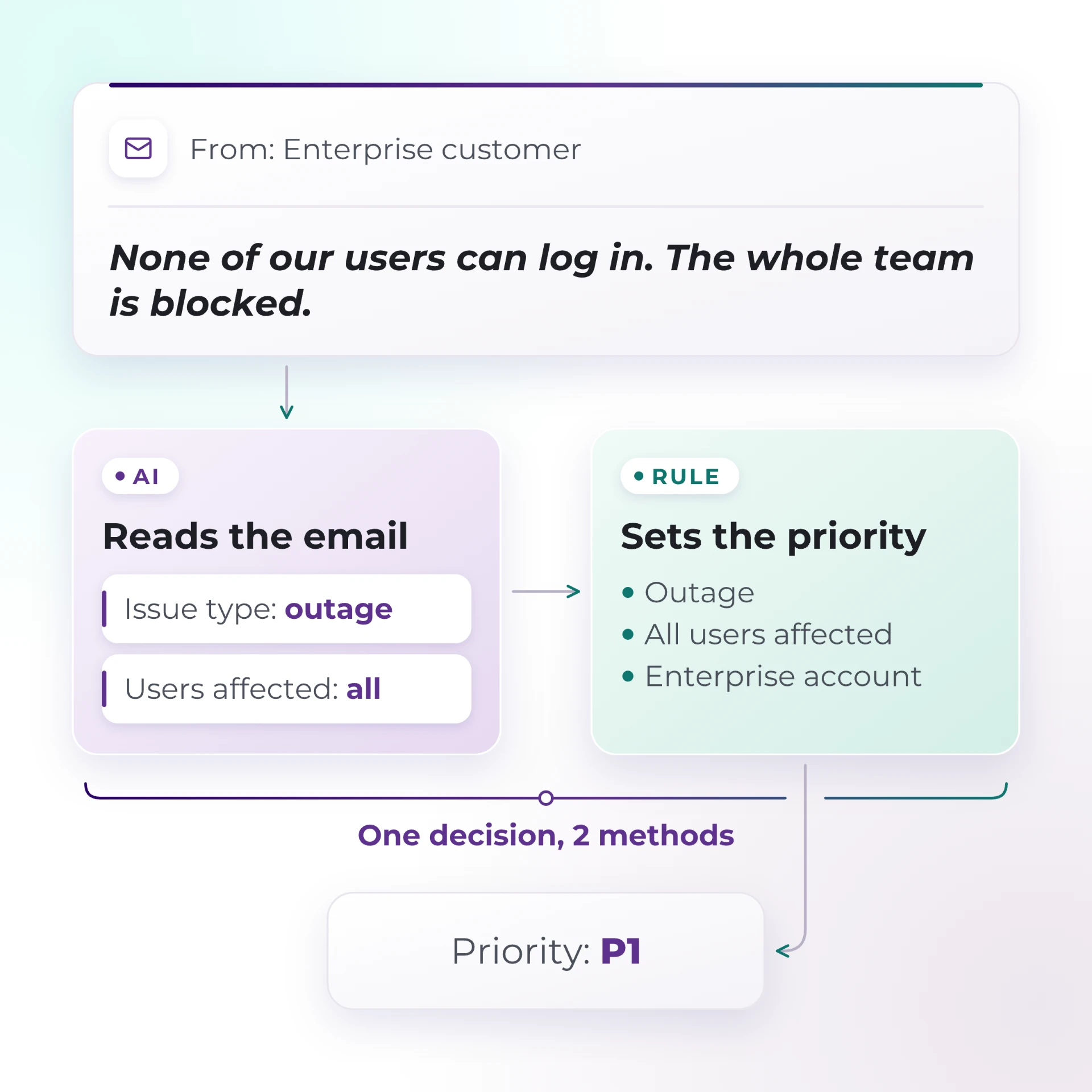
One decision, handled by 2 methods.
That split is one of the most useful habits in workflow design. Many steps that seem to need AI have an interpreting part and a deciding part. Give each part to the method that suits it. Then you can test the AI's part on its own, and point to the exact rule behind every priority.
For a step-by-step version of this test, see when to use an AI agent in Salesforce, and when to use a rule.
Where do AI workflows break in practice?
Often between the steps. AI can misread an email. But failures also happen around it: requests that never reach the system, rules acting on wrong information, replies that go out unchecked, and work that stalls between steps.
A sound process with a broken front door
You can design the right request process and still find that people don't use it. If submitting work means logging in, finding a menu and filling in 12 fields, people go back to chat and phone calls. The process is sound. The problem is getting work into it. (Sovereign Financial Group, below, lived this.)
A correct rule acting on a wrong input
A rule gives the same result for the same input. So if AI misreads a billing question as a technical one, routing sends it, perfectly and consistently, to the wrong team. Every component reports success while the customer waits.
The fix is to check the AI's result before a rule acts on it. Some checks are simple: required fields filled in, values on the allowed list. Others catch what looks wrong: a low-confidence result, or a category that doesn't fit the rest of the record. Anything that fails goes to a person before it's routed.
A confident answer that goes unchecked
AI drafts well. It drafts wrong answers well too. A reply that quotes the wrong policy reads exactly as polished as one that quotes the right one. Where a reply reaches a customer and the stakes are real, someone should see it first.
Work stuck between tools that each work
A Flow fires. Routing assigns. AI writes a summary. And the case still sits for 3 days waiting on information from the customer, because nothing owns the step between "assigned" and "resolved". Each tool did its job. The workflow had no owner.
Too much in one place
The more jobs, instructions and system access one component carries, the harder it is to test and control. That's true of a single AI agent that reads, routes and replies, and of a Flow that has grown to cover every exception.
Give each part one job, clear instructions and a defined output, and you can test it, control it and replace it on its own. That's why Ortoo uses specialised agents alongside rules. For a simple workflow, one model call is often enough.
What does orchestration add to AI agents and rules?
It handles everything between the steps: the order they execute in, what information passes from one step to the next, what happens when something fails, and what anyone can see while the work is in progress.
Agents and rules each handle a step. A workflow is the steps plus everything between them, and that's where most of the manual work hides.
A well-designed workflow defines what happens in situations like these:
The AI isn't confident about the category. The request goes to a person with the AI's suggested category attached, so the reviewer doesn't start from scratch.
The right person isn't available. The work waits in a queue with a deadline, and escalates when the deadline passes.
A proposed action crosses a threshold, like a refund over a set amount. It pauses for approval and continues once someone signs off.
A step fails. The workflow knows where it stopped and what still has to happen.
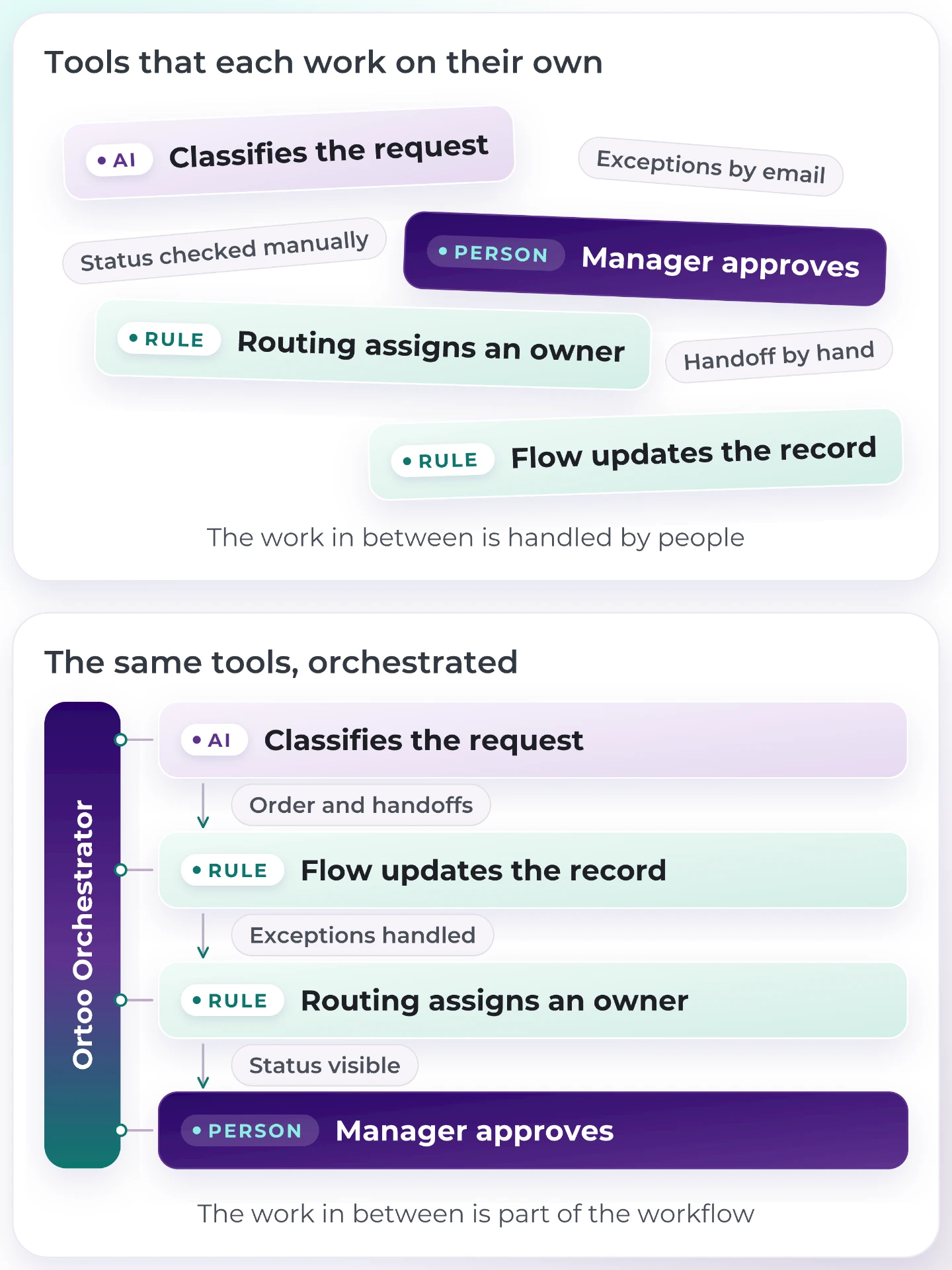
The same tools. What changes is what holds them together.
That's the job of an orchestration layer. In Salesforce, Ortoo Orchestrator is that layer. It executes your existing Flows, routing, AI agents and integrations as one workflow. The conditions you configure decide which steps run and when, and each step is recorded, so you can see what happened. Your existing automation stays in place, and Ortoo Orchestrator coordinates it. See how Ortoo Orchestrator works.
The result is a workflow where you can see what happens next and why, with AI only in the steps that need it.
One real workflow: advisor requests at Sovereign Financial Group
Sovereign Financial Group shows what this looks like in one real workflow: getting advisor requests into Salesforce, with AI, rules and a person each handling the part they're suited to.
Sovereign is a registered investment adviser supporting 21 external advisors. Salesforce is its operational hub, and its operations team built a clear service model there: every piece of work is a standardised request, with an expected turnaround and an owner.
The service model worked. Getting requests into it didn't. Advisors spend their days with clients, phone in hand, and many work without support staff. Filling in a Salesforce form between appointments was a lot to ask.
"Things were going in Microsoft Teams chats, or emails, or phone calls, or just personal conversations. They weren't making their way into the system."
Nick Thiede, Chief Operating Officer, Sovereign Financial Group
Adding structure on its own made adoption worse. When Sovereign introduced request types, fewer people submitted requests at all.
The setup ruled out the obvious fixes too. Sovereign works on a custom request object rather than standard Cases, so native email-to-case "just wasn't an option". Several tools it tested "flagged an error" when an email didn't match cleanly.
Here's how the workflow is handled now, with Email-to-Anything and Ortoo Orchestrator:
An advisor sends an email to one address and gets on with their day. Intake
AI reads the email and fills in the fields on Sovereign's request record. AI
A rule checks whether anything is missing. A complete email creates the request directly. Rule
If something's missing, AI drafts a follow-up asking for it. AI
Selected supervisors review those drafts, edit if needed and release them. The step is visible only to them. Person
Every step is recorded. Sovereign audits the AI and the prompts behind it, and has made that an internal governance protocol for every AI tool it adopts. Record
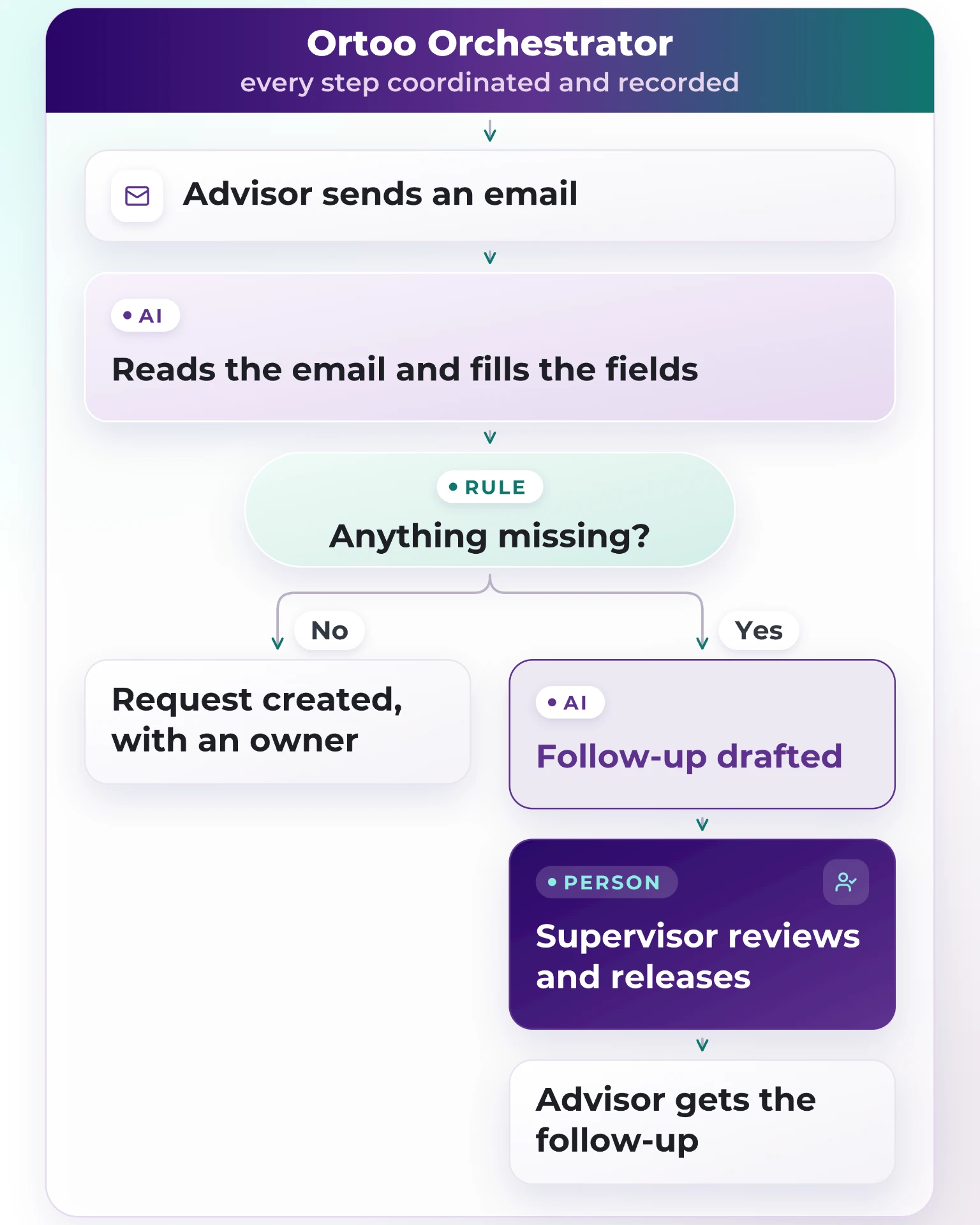
How an emailed request reaches Salesforce at Sovereign. A person reviews only the follow-ups.
The human step is small on purpose. Review every request and you've rebuilt the bottleneck you set out to remove. Review only the outgoing drafts, and people spend their time exactly where a wrong answer would reach an advisor. As Nick puts it: "We don't just have to trust AI to be right or wrong."
At the outset, only 7% of requests were filed as anything more specific than a general question. Today:
95% of requests arrive correctly categorised
300% more requests reach Salesforce
More people submit requests than before the change, and advisors haven't had to learn anything new.
"They don't even know about the Ortoo tool. It just lives in the background and does the work for them."
Nick Thiede, Chief Operating Officer, Sovereign Financial Group
Read the full Sovereign Financial Group story
Build once, adjust as the process changes
Getting the first workflow into production is only the beginning. The harder part is changing it when the business changes. A team needs a different escalation policy. Another department wants the same capability with different settings. A new workflow needs something that's already been built.
Ortoo Orchestrator keeps 3 things separate: the capability itself, how it's configured, and where it's used in a workflow. So a governed capability, like sending an email or assigning an owner, is built once, with its permissions and checks set in one place. Support and sales can each configure it their own way. And a new workflow can use it without anyone rebuilding the logic underneath.
For operations teams, that means most changes are configuration changes, without a new development project. For IT, it means fewer one-off builds to maintain and govern.
How do you keep AI cost and risk under control?
Mostly by deciding which steps use AI at all, before anyone picks a model.
Rules make no model calls. A routing rule that fires 10,000 times a month applies the same logic every time and adds no inference cost. Every step you give to a rule is one less step to pay for and monitor as AI.
Agent setups can be token-hungry. In its write-up of its own multi-agent research system (June 2025), Anthropic reported that its agents used about 4 times more tokens than chat interactions, and its multi-agent system about 15 times more. Those figures come from one system, but the direction holds: more agents can mean more handoffs and more model calls. That pays off when a step is complex enough to justify its own agent. When one model call, or a rule, can handle the step reliably, extra agents add overhead without adding value.
You choose the provider and the model for the job. A lighter model can classify. A stronger one can draft the reply a customer will read. With bring your own key, you connect your own AI provider account, so usage and costs sit where you can see them. Sovereign connects its own OpenAI account for that reason.
The same applies to risk. Before the workflow goes live, decide what data AI can see, what its output is checked against, and which actions need a person's approval. Sovereign set its first condition before anything was signed: no AI unless client data stayed protected. Model training is switched off, and prompts are documented for regulatory review. Nick started his career in compliance, and the setup reflects it.
Start with the workflow that hurts most
Start with the pain: the step that needs the most manual handling, and the people who feel it. Often that's a process problem, like intake or assignment, more than a data problem.
Then work through it in order:
Pick the step that causes the most manual handling.
Split it into the parts that need interpreting and the parts with known criteria.
Give the interpreting to AI, the known criteria to a rule, and the high-stakes calls to a person.
Prove it works, then add the next step.
Sovereign started with its client service team, extended to trading, and is now extending to a general service line. Same approach each time.
Nick's advice to his peers is the shortest version of this whole argument. Advisors like their emails, and they send requests there. So life gets easier "if you can train advisors how to send better emails rather than training on how to use a complicated system like Salesforce."
AI where it helps. Rules when required.
Map your workflow
Bring one workflow that takes too much manual effort. Ortoo will map which steps need AI, which need a rule, and where a person should step in.
Related insights
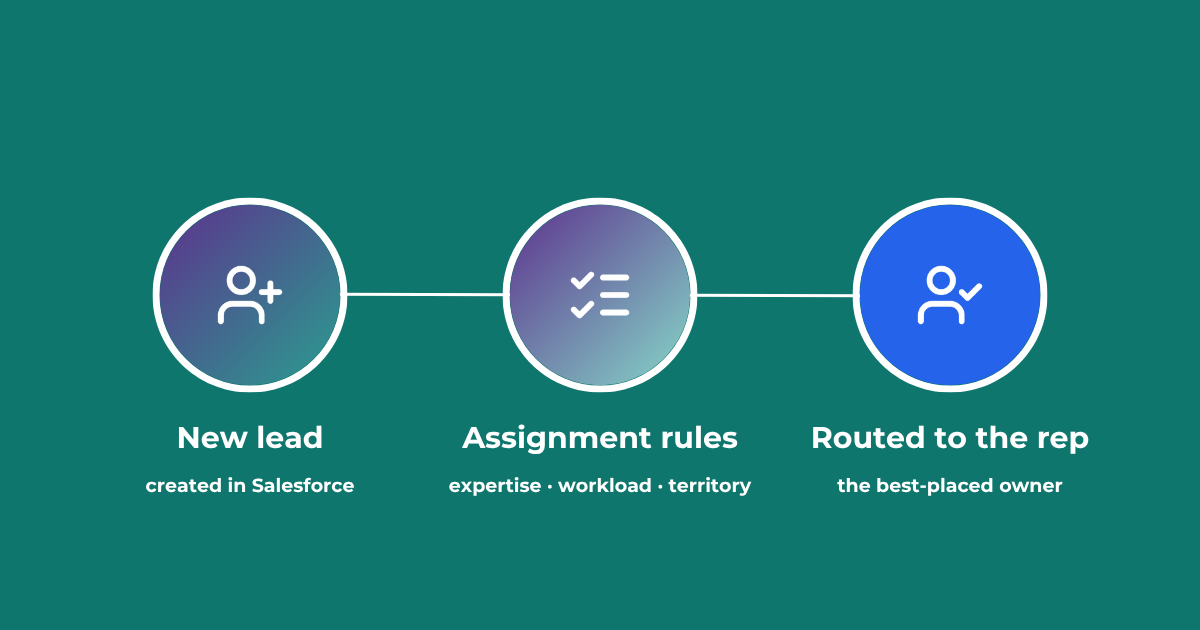
Lead Assignment Rules in Salesforce: Automate with Q-assign
This comprehensive guide to optimizing lead assignment rules in Salesforce will stand you in good stead for maximizing your sales reps’ productivity and performance. Understand the benefits of highly effective lead assignment, explore Salesforce best practices and stay ahead of the competition – with added insights into AI-driven revenue orchestration
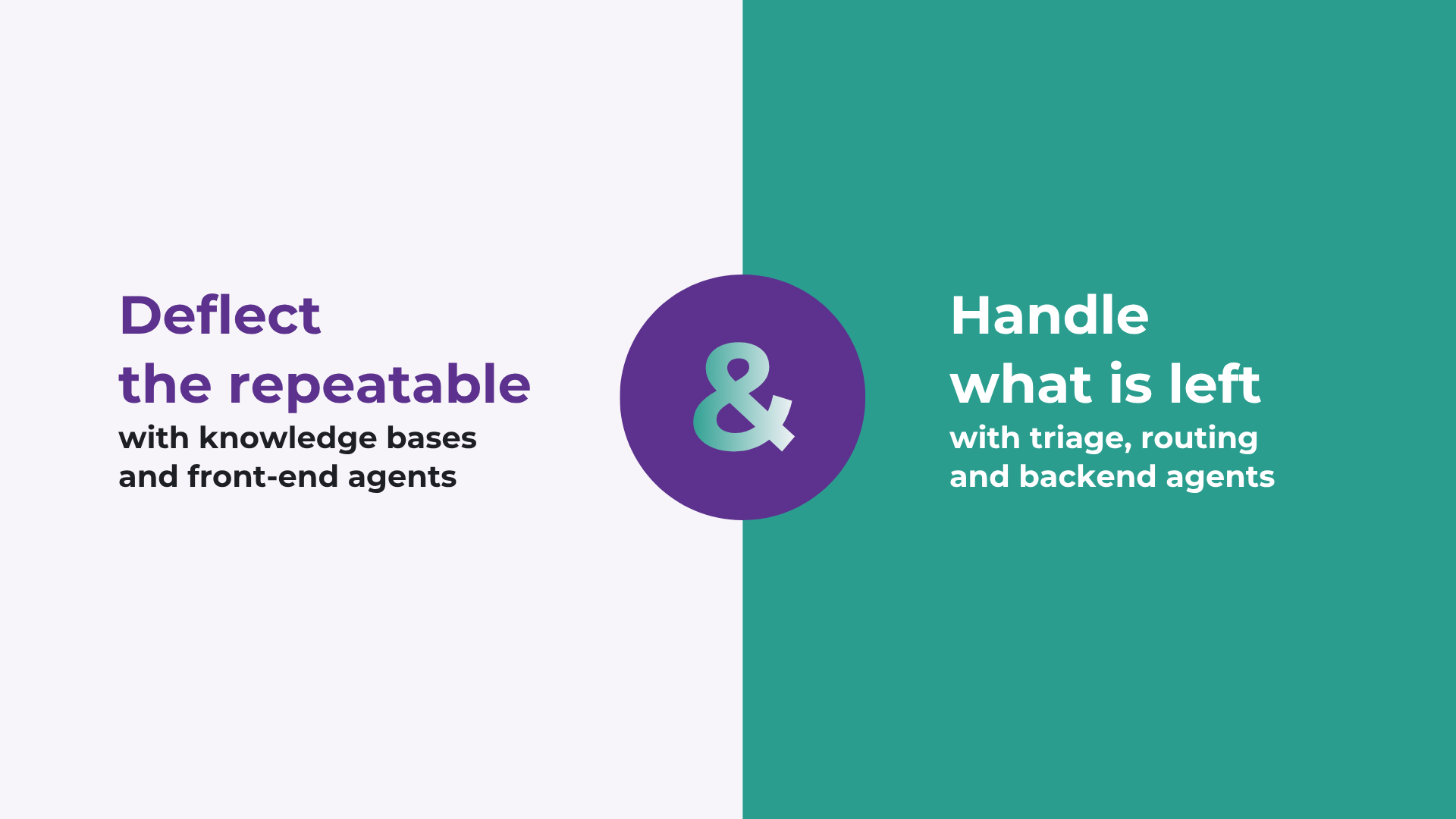
How to improve Salesforce case deflection rates
Deflection only solves half the problem. The cases that do not deflect are the ones that breach SLA. How to improve deflection rates, and how to handle what is left.

Calling Salesforce is easy. Defining what happens next is the hard part.
Salesforce workflows don’t break because of missing automation. They break because no single system defines what should happen. Here’s what actually fixes it.
READY TO SEE IT IN ACTION
Map your workflows with our team.
30 minutes, no prep needed. We will map one workflow you handle today and identify where orchestration would change the outcome.