Lead Assignment Rules in Salesforce: Automate with Q-assign
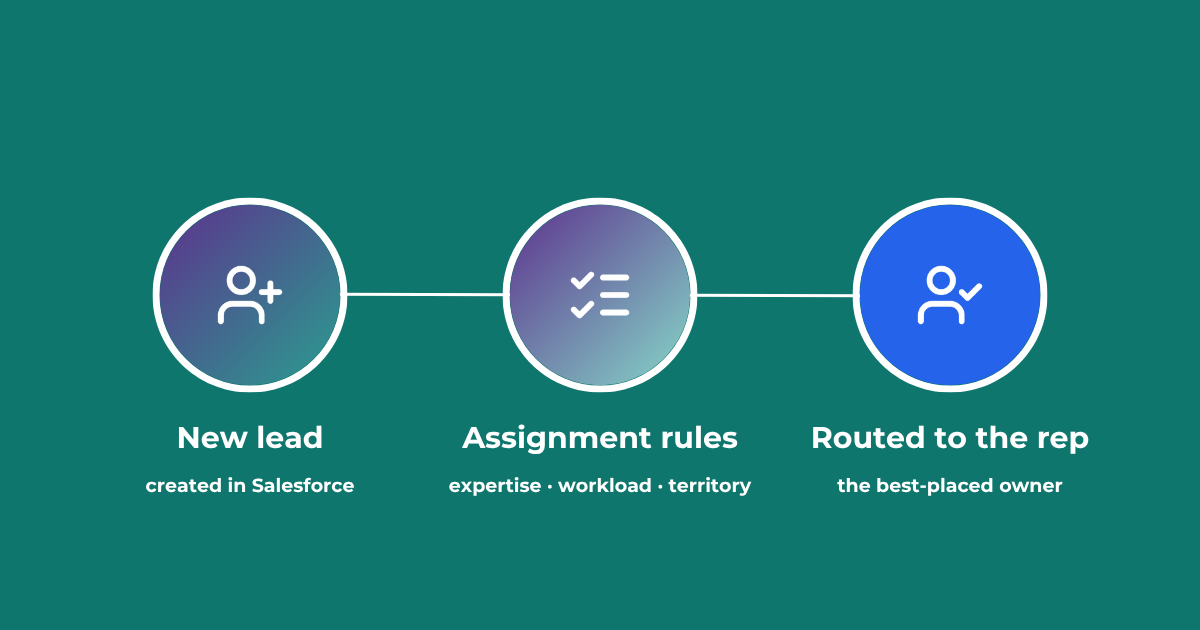
This comprehensive guide to lead assignment rules in Salesforce will help you maximize your sales reps' productivity and performance. Understand the benefits of effective lead assignment, explore Salesforce best practices, and see where AI-driven revenue orchestration fits. Updated July 2026.
Effective Lead Assignment Rules in Salesforce are important for maximizing sales team productivity. In Salesforce, lead assignment rules ensure that leads are systematically and appropriately distributed to the right sales reps. This not only increases productivity but also ensures that no lead is overlooked, thus increasing the potential for conversions. This post aims to provide a detailed guide on configuring and optimizing lead assignment rules in Salesforce.
For the wider routing process, see our guide to lead routing in Salesforce.
What are Lead Assignment Rules in Salesforce?
Definition and Purpose
Lead assignment rules are predefined routing criteria used to assign incoming leads to specific users or queues based on various attributes, including: geography, industry, lead source, product and more. The primary purpose of lead assignment rules is to automate and optimize the lead distribution process, ensuring that each lead is handled promptly and by the sales rep that is best placed to convert each lead.
Why Are Lead Assignment Rules Important for Sales Teams
Lead assignment rules are hugely important for sales teams because they help maintain order and effectiveness in lead management. Without these rules, leads might be distributed unevenly, causing delays and reducing the chances of conversion. Properly configured lead assignment rules in Salesforce ensure that leads are promptly assigned to sales reps with the relevant expertise, which enhances the chances of closing deals.
Key Benefits of Lead Assignment Rules
Improved Lead Distribution: Ensures leads are assigned to the most suitable sales reps based on predefined criteria.
Enhanced Sales Productivity: Streamlines the lead handling process, allowing sales teams to focus on converting leads rather than sorting them.
Better Lead Tracking and Reporting: Facilitates accurate tracking and reporting of lead distribution, helping managers analyze performance and make informed decisions.
See how Ortoo handles lead assignment in Salesforce
Salesforce Lead Assignment Rules: Native Capabilities & Limitations
Salesforce ships with native lead assignment rules. These rules are designed to automate the lead distribution process but, whilst Salesforce’s native capabilities are useful, they also come with certain limitations.
Native Capabilities
Rule-Based Assignments: Salesforce allows administrators to set up basic rule-based lead assignments based on various criteria, including: location, industry, lead source; language.
Queue Management: Leads can be assigned to queues, enabling sales reps to manage and prioritize leads in a collaborative manner.
Round-Robin Assignment: Salesforce supports round-robin lead assignment, distributing leads evenly amongst sales reps.
Limitations
Complexity in Configuration: Setting up and maintaining complex lead assignment rules can be time-consuming and require significant administrative effort and IT support.
Limited Customization: Whilst Salesforce provides some customization options, setting up complex lead assignment logic often requires significant manual effort and may not cover all business-specific needs without custom coding.
Static Criteria: Native rules are generally static and do not adapt to changes in real-time data, such as varying agent workloads, availability, or performance history.
No Intelligent Reassignment: Salesforce’s native tools do not automatically reassign leads that are neglected or unaddressed, potentially leading to poor conversion rates and missed opportunities.
The Lead Triage Process: Preparing Leads for Assignment in Salesforce
Understanding Lead Triage
Lead triage is the process of evaluating and prioritizing leads before they are assigned to sales reps, using Lead Assignment Rules in Salesforce. This process involves assessing the quality and readiness of leads for follow-up, ensuring that only the most promising leads are distributed to Sales for processing.
Steps in the Lead Triage Process
Lead Capture: Collecting information from inbound leads.
Lead Scoring: Assigning a score to each lead based on predefined criteria which include engagement level, demographics and behaviour.
Lead Qualification: Evaluating leads to determine their fitness and readiness for a conversation with a sales rep.
Lead Prioritization: Ranking leads based on their score and qualification status to prioritize follow-up actions.
AI-assisted lead triage with Q-assign
Q-assign, part of Ortoo Orchestrator, includes AI capabilities for lead triage in Salesforce. Using automation and AI-driven insights, Q-assign assesses and categorizes each lead before it is assigned to the right sales rep or team.
What Q-assign's triage does:
Automated Evaluation: Analyzes lead data (source, engagement history, demographics) using AI.
Lead Enrichment: Pulls in additional data from internal or external sources to enrich the lead for triage and assignment.
Attribute Assignment: Assigns a priority level and potential value to each lead based on predefined criteria.
Marketing Qualification: Runs the MQL process, deciding which leads pass to Sales, which Marketing nurtures, and which are disqualified.
Native to Salesforce: Works with native Salesforce tools inside Ortoo Orchestrator for accurate routing to the best sales reps.
Benefits:
Reduced Manual Workload: Automates the initial triage, freeing sales teams to focus on high-value work.
Enhanced Data Consistency: AI improves triage accuracy over time.
Optimized Lead Management: Leads are prioritised and assigned to maximise conversion potential.
With Q-assign, your sales teams always work with the best possible leads, driving higher productivity and better sales outcomes.
Deploying Dynamic Lead Assignment Rules in Salesforce
Introducing Q-assign for Salesforce
Q-assign is a powerful lead assignment app, available on the Salesforce AppExchange, which significantly enhances Lead Assignment Rules in Salesforce. It offers advanced features that extend Salesforce’s native capabilities, making lead assignment more dynamic and much more effective. Q-assign is designed for the large and/or fast-growing Enterprise.
Features of Q-assign
Advanced Lead Routing: Route leads based on complex criteria including: skills; experience; lead score; rep availability; rep workload.
Dynamic Lead Assignment Rules: They can adapt to changing conditions in real-time, switching models to optimize the whole process for maximum performance.
Real-Time Assignment: Assign leads instantly, in real-time, to facilitate a prompt follow-up.
Intelligent Reassignment: Quickly identify leads which have been neglected for X minutes and reassign to an available rep.
Code-free Lead Assignment Rules: Point-and-click configuration enables Sales Managers and delegated admins to make adjustments on the fly, with no dependence on IT
AI Actions (optional): Enrich and triage leads prior to assignment. Deploy AI Actions post assignment to automate follow-ups and facilitate a successful conversion
For a step-by-step walkthrough, see lead assignment in Salesforce.
Case Studies and Real-World Examples
Companies across various industries have successfully implemented Q-assign to optimize their lead assignment process. For example, OppFi, a leading financial technology platform, received hundreds of Loan applications per day and needed a highly scalable assignment solution that could handle complex routing and ensure fair and equal distribution. Read the full case study here.
Also, Education First, the international learning organization, had to handle tens of thousands of enquiries every day. And their routing requirements were complex, with multiple languages, offices, locations and more factors besides. Learn how they solved their challenges with Q-assign.
Salesforce Lead Assignment Rules: 10 Best Practices
Define Clear Criteria for Lead Scoring: Establish specific criteria for scoring leads based on engagement, demographics and behaviour. Consistent scoring helps prioritize high-potential leads effectively.
Set Up Automated Lead Qualification: Establish clear criteria for qualifying leads before assignment. Use Q-assign's AI to qualify leads to MQL status. This ensures only high-quality leads are routed to sales reps, increasing efficiency.
Prioritize Leads Based on Value and Urgency: Assign higher priority to leads with the greatest potential value or urgency. This helps sales reps focus on opportunities that are most likely to convert.
Use Geographic and Time-Zone Matching: Assign leads based on location and timezone compatibility for faster, better engagements and meeting scheduling.
Deploy Weighted Round Robin Lead Assignment in Salesforce: Implement a weighted round-robin lead assignment system, including caps and quotas for each rep, to ensure a fair and equitable distribution of leads amongst sales reps
Implement Skill-Based Routing: Route leads to sales reps based on their expertise and experience. Matching leads with the right skills ensures better handling and increases conversion chances.
Balance Workloads Dynamically: Use real-time data continually monitor agent workloads. Allow your lead assignment solution to adjust rules dynamically to maintain a fair distribution of leads.
Enable Dynamic Reassignment: Automatically reassign neglected or unaddressed leads to available reps. This prevents leads from slipping through the cracks and ensures timely follow-up.
Automate Follow-Up Reminders: Use automated reminders for follow-ups to ensure timely lead engagement and reduce the risk of leads going cold.
Leverage AI and Automation: Use Q-assign's AI capabilities to automate lead triage and assignment. This ensures leads are evaluated and distributed quickly and accurately.
How AI Is Changing Lead Assignment

AI is helping Ortoo improve the lead assignment process, with more consistent, intelligent ways to distribute leads. Businesses are already using Q-assign, part of Ortoo Orchestrator, to create an intelligent, governed lead assignment workflow. AI is applied selectively, where it helps, while deterministic rules keep execution predictable. Common uses include:
Automated lead triage: Q-assign enriches, categorizes, and triages leads before assignment, so each lead arrives ready to convert.
Predictive lead scoring: Salesforce's own AI, Einstein, can predict lead potential and, with Q-assign, prioritise assignment by conversion probability.
Enhanced contextual understanding: Q-assign reads the structured and unstructured data attached to a lead, improving assignment accuracy.
Automated lead nurturing: AI can handle the first nurturing steps, engaging leads with relevant content before a rep picks them up.
Proactive workload balancing: Q-assign helps predict and balance workloads across reps, preventing overload and keeping distribution fair.
Advanced analytics: AI-driven analytics reveal patterns in assignment efficiency and highlight where to optimise.
Voice and Conversational AI: AI-powered voice assistants and conversational AI will interact with leads directly, qualifying them and routing them based on real-time conversations.
Applied this way, AI makes lead assignment faster, more consistent, and more responsive, without giving up control.
Optimizing lead assignment rules in Salesforce is critical for maximizing sales productivity and making sure every lead is handled effectively. Salesforce's built-in capabilities, alongside Q-assign and Ortoo Orchestrator, significantly improve the lead assignment process and drive better sales outcomes. Dynamic, code-free lead assignment rules give you a scalable, well-governed lead management system that is ready for the AI era, and a clear competitive advantage.
Optimizing lead assignment rules in Salesforce is critical for maximizing sales productivity and ensuring that leads are handled as effectively as possible. Leveraging Salesforce’s built-in capabilities, alongside advanced native apps like Q-assign and Smart Actions, can significantly enhance the lead assignment process, driving much better sales outcomes. Implementing dynamic, code-free lead assignment rules in Salesforce will ensure a highly scalable, hyper-optimized lead management system, that is ready for the AI era. This approach provides forward-thinking businesses with a clear competitive advantage in today’s ultra-competitive market.
To see how Q-assign and Ortoo Orchestrator handle your lead assignment rules, book a demo or map your workflow with our team.
Embrace our sales productivity apps to achieve more and stay ahead of the competition.
Frequently asked questions
How does round robin lead assignment work in Salesforce? Native round robin distributes leads evenly to reps in turn. It does not account for skills, workload, or availability, so a rep who is out or overloaded still receives leads. Weighted round robin with caps and quotas, via Q-assign, distributes fairly while respecting capacity. See the lead routing guide for more.
How do you automate lead assignment to sales reps in Salesforce? Native assignment rules automate basic distribution by criteria like geography or lead source. To automate on skills, workload, availability, and score, and to reassign neglected leads, use Q-assign. Assignment then runs in real time, with no manual sorting.
How is Q-assign different from native Salesforce lead assignment rules? Native rules are static and criteria-based. Q-assign adds dynamic, real-time routing on skills, workload, and availability, intelligent reassignment of neglected leads, and code-free changes by sales managers. It extends native rules rather than replacing Salesforce.
Can you automatically assign leads to a team or queue? Yes. Salesforce can assign leads to a queue natively. Q-assign goes further, routing within a team by capacity and expertise so the best-placed member picks up each lead, with caps and quotas to keep distribution fair.
Related insights

AI where it helps. Rules when required.
Most steps in a Salesforce workflow are already handled well by rules. Here's how to decide which steps need AI, which need a rule, and where a person should step in, with a real example from Sovereign Financial Group.
Lead to Account Matching: Seamlessly Connect Leads to Accounts in Salesforce
Lead to account matching connects every inbound lead to the right account in Salesforce. Here is how it works, where it breaks, and how to automate it without manual data entry.
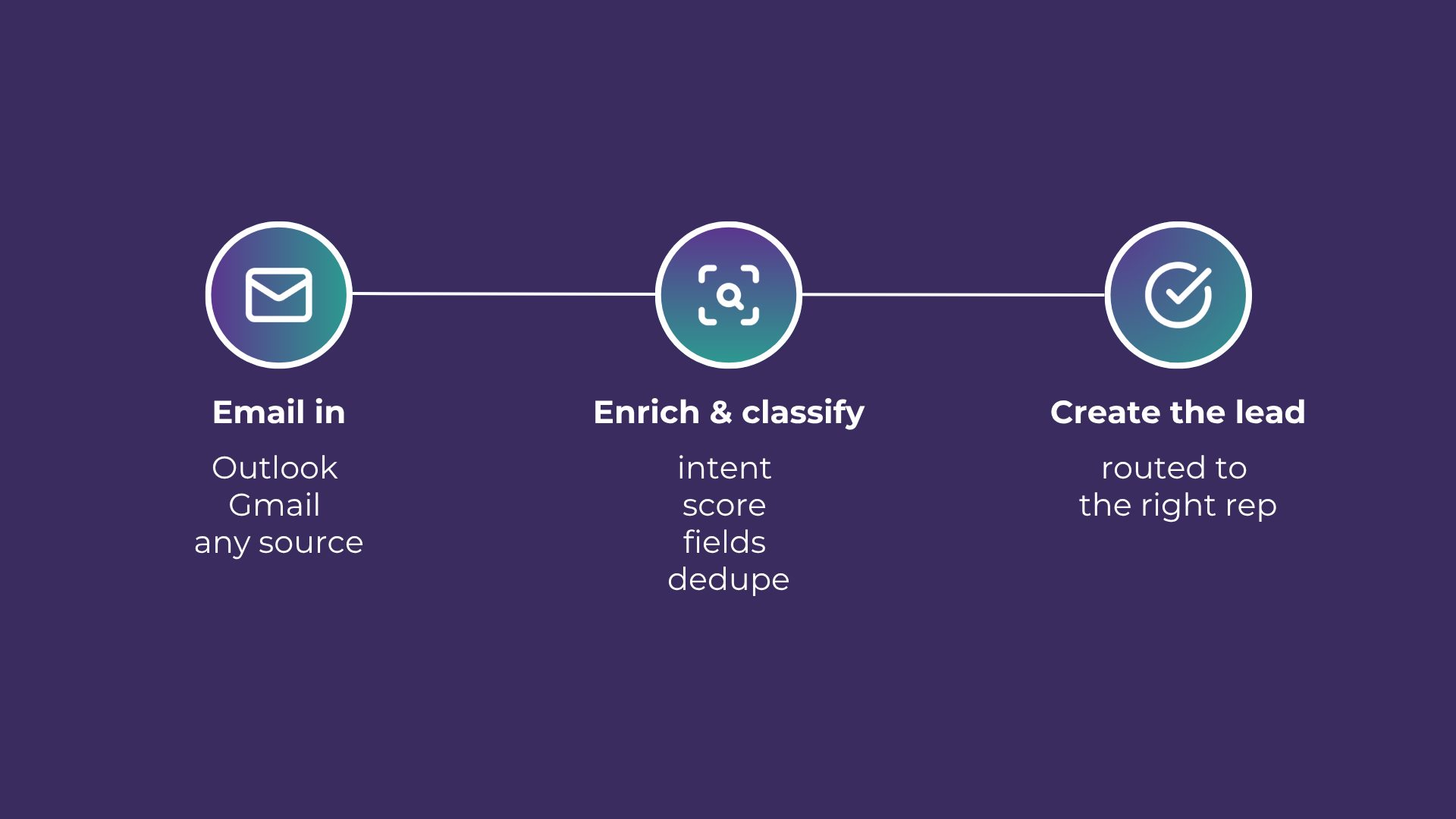
Email-to-Lead: Salesforce Lead Management with AI
Lead management is the lifeblood of any successful sales operation. At a time where customer expectations are higher than ever, ensuring that potential leads are captured and nurtured effectively can make all the difference. Introducing Email-to-Lead – AI Edition.
READY TO SEE IT IN ACTION
Map your workflows with our team.
30 minutes, no prep needed. We will map one workflow you handle today and identify where orchestration would change the outcome.