Salesforce workflows don’t need more automation and AI, they need control
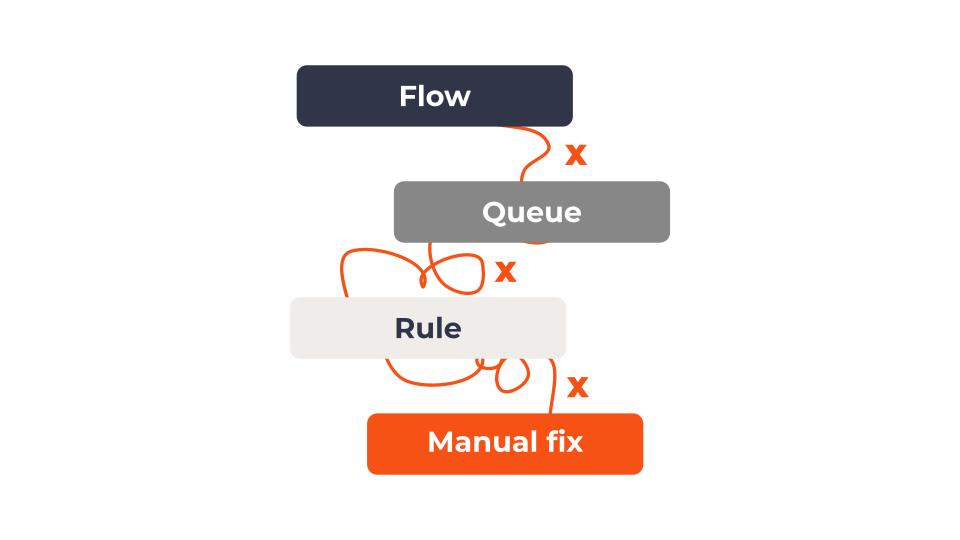
In our survey at Agentforce World Tour New York 2026, 78% of teams still manually fix or reassign work after routing.
Interestingly, most teams facing Salesforce workflow problems think their problem is routing. Or flows. Or edge cases they haven’t handled yet.
It’s usually not. The real problem is fortunately simpler but unfortunately harder to fix:
There is no single place that defines how workflows should actually be handled from start to finish.
Everything else is mostly a symptom.
What actually happens in a real Salesforce setup
Take a basic example: a support case comes in.
What should happen is obvious. It gets understood, prioritized, assigned, and resolved.
What actually happens is quite fragmented.
An AI model might interpret the request. A flow sets some fields. A routing rule assigns ownership. Another flow updates priority later. An integration enriches the data. In some cases, an agent triggers follow-up actions.
None of this is wrong.
But none of it is coordinated as one workflow.
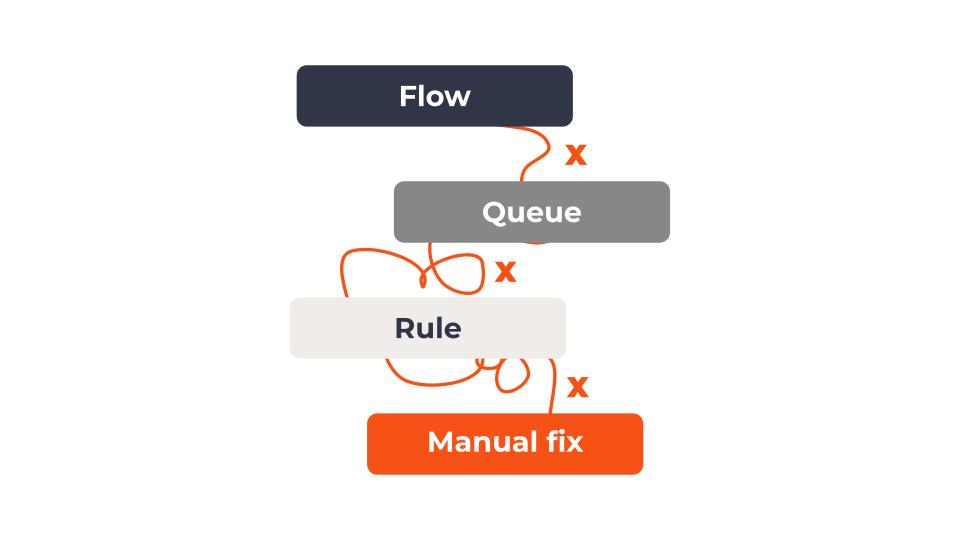
Each component makes its own decision, based on its own view of the data, at its own point in time.
So instead of one workflow, you have multiple decision systems reacting to the same case, multiple components making decisions in different places, at different times. That’s difficult to understand and keep up with. That’s also where the inconsistency comes from.
That’s not great automation…
That’s fragmentation.
And a super common cause of headaches in teams running Salesforce.
Why fixing Salesforce workflows often makes them harder to manage
The most common frustration Salesforce customers reported in our New York World Tour event survey isn’t lack of automation.
It’s too many flows and systems that are hard to manage.
The problem is that the pieces don’t work together.
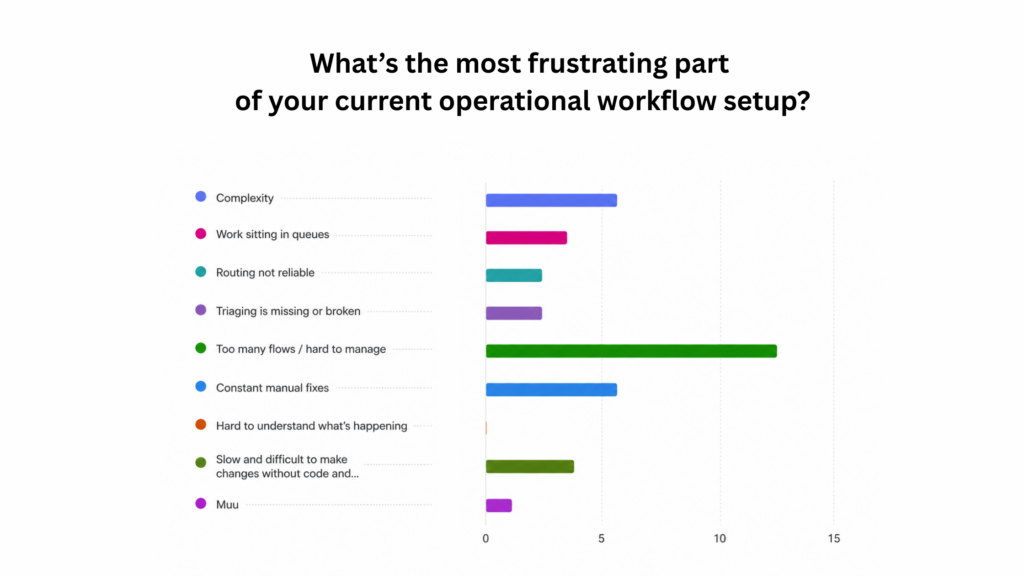
In practice, when something goes wrong in a Salesforce workflow, teams fix it where they see it.
A case is routed incorrectly, so routing rules get adjusted. Priority is wrong, so a flow is updated. An edge case appears, so another condition gets layered in. This is like targeted fixing of the symptom.
Each fix works, but now there’s yet another place where something can change in the org.
Over time, you end up with multiple flows updating the same fields, routing depending on data that isn’t always set yet, agents and rules interpreting the same input differently, and integrations triggering actions out of sync.
At that point, teams stop asking whether the logic is correct. They start asking what actually happened, which flow ran, and what changed.
And the honest answer is usually: it depends. Because there’s no single place that defines what should happen. The outcome depends on how flows, routing, integrations, and agents interact in that moment.
Why the lack of control is getting more pronounced right now
The shift toward APIs, agents, and headless execution is making this more visible.
You now have:
- agents interpreting requests and triggering actions
- external systems calling into Salesforce directly
- multiple models influencing decisions
- existing flows still running underneath
This increases capability, but it also increases the number of “decision points”.
AI doesn’t become perfectly reliable with more context or better data. It remains non-deterministic by nature.
That’s not a flaw. It’s how these systems work. Which means the goal is controlling variability where it matters, not purely eliminating it. As more decisions are made by models, the number of possible outcomes increases.
Without a clear structure around those decisions, workflows inevitably become less predictable. And without a clear way to define how those decisions connect, the system becomes harder to control.
Now, if you’ve been around Salesforce long enough, this direction of calling actions might feel familiar.
Back in 2010, Salesforce launched “Database.com”, an API-first way to use the platform without relying on the UI. You could build your own interface, or not use one at all.
It didn’t become widely adopted as a standalone product and was folded back into the platform over time. Now, Headless 360 follows a similar direction, just at a higher level. Database.com was about accessing data, and headless 360 is about triggering actions.
So, the idea isn’t new. What’s changed is how much of the platform is exposed and how easily those actions can now be invoked, for example by AI agents through MCPs.
We’ve had the ability to call into Salesforce for years. What we still don’t have, in most environments, is a clear definition of what should happen when we do.
How teams actually keep things up and running
Most teams don’t fix the underlying issue, they work around it. They monitor queues, reassign cases, and correct priorities when something looks off. Automation handles most of the work. People handle the inconsistencies.
The real issue is simple: no single system defines how work should move from intake to resolution. Instead, it’s spread across flows, routing rules, integrations, APIs, agents, and manual fixes, which is why it’s hard to understand and hard to control.
What actually needs to change to make workflows work
If you want consistent outcomes, you don’t need more automation.
You need a way to define the workflow itself:
- what happens first
- what decisions are made
- what happens next
- how each step connects
In one place. Then everything else , flows, agents, integrations , can execute within that structure.
Fixing execution of specific workflows in Salesforce is quite a lot more straightforward than full blown architectural redesigns.
Most frameworks describe what a well-structured, AI-ready architecture should look like: modular, governed, and consistent. You probably know it is not easy getting there. In many Salesforce environments, that implies a broad, tedious, and expensive transformation project across workflows, data, and automation.
In practice, that kind of revamp doesn’t get going lightly.
But what if we told you that it is possible to evolve one orchestrated workflow at a time with solutions like Ortoo?
That’s fast and cost-effective. It doesn’t require a full redesign upfront. You can get the bottleneck the operations team needed fixed yesterday quickly , and hand over the keys to the operations.
Why this matters now, with agentic AI
Fragmentation of workflows wasn’t always a critical issue, because teams using Salesforce could lean on people correcting inconsistencies. That doesn’t scale anymore with more work being handled by automation and agents. Now the system executes exactly as it’s defined without being corrected, especially not in a timely manner. (Agents beat humans in speed every time.)
Despite the headless advancements and more commoditized calls, most environments don’t have a clear definition and control of what should happen when something is called.
Until that exists, adding more separated automation and AI will keep producing the same result: seemingly more capability, less clarity, and less predictable outcomes.
If this sounds familiar, the fastest way towards more predictable execution is to map your workflows, and plan how they could be structured step by step.
For that, we run short workflow diagnosis sessions with Salesforce teams to break down how work actually moves through your system today, and where execution starts to break down.
Related insights
Automation vs autonomous agents vs orchestration: what each means and which you need
The market is using one word, AI, for three different things. Automation runs steps, an autonomous agent makes calls, orchestration runs the operation. A down to earth guide to the difference, and how to tell which a given workflow needs.
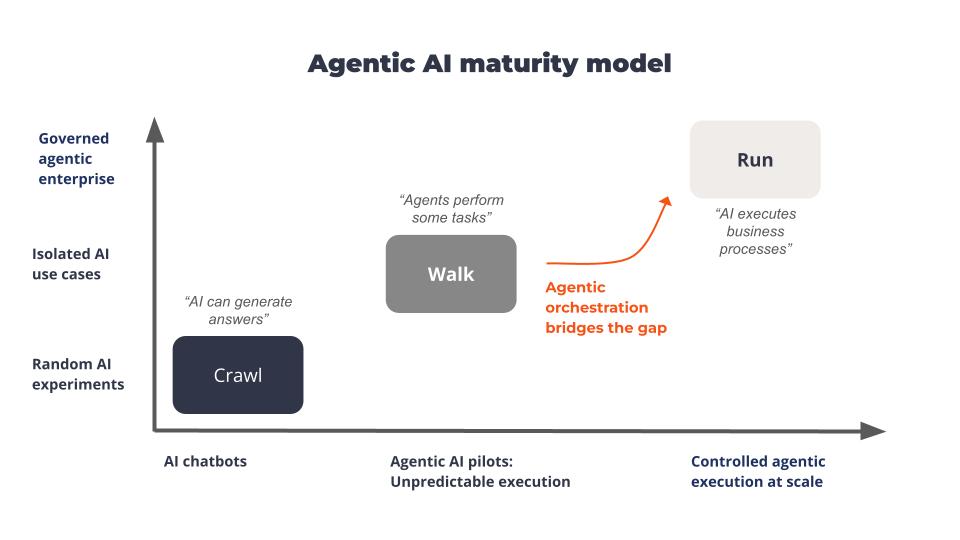
Agentforce Is advancing but execution still lacks control in 2026
Agentforce is advancing, but not scaling. Here’s why execution, control, and orchestration are the real blockers to agentic AI in Salesforce.

How to Use Governed AI in Salesforce and Keep Control
This article explains how to balance AI automation and human oversight within Salesforce workflows to prevent operational risks.
READY TO SEE IT IN ACTION
Map your workflows with our team.
30 minutes, no prep needed. We will map one workflow you handle today and identify where orchestration would change the outcome.